
Steven
January 17, 2026 • 4 min read
How to Get Instant AI Help with One Keyboard Shortcut
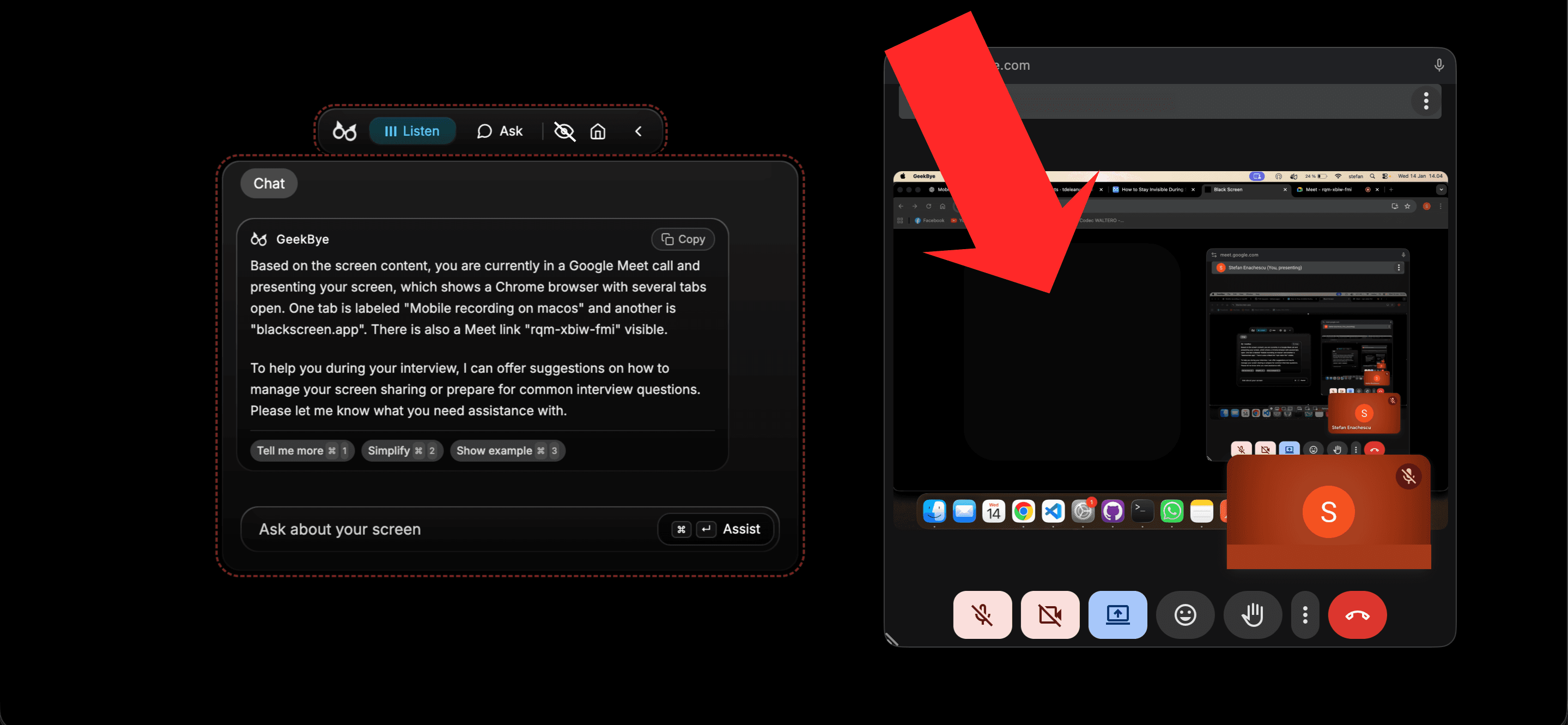
Press Cmd+Enter and get AI assistance for anything on your screen. No copy-pasting, no explaining - GeekBye sees what you see and helps immediately.
Learn more about GeekBye, get product updates, and discover our approach to AI-powered interview assistance.

Steven
January 17, 2026 • 4 min read
Press Cmd+Enter and get AI assistance for anything on your screen. No copy-pasting, no explaining - GeekBye sees what you see and helps immediately.

GeekBye automatically analyzes your interviews and meetings, giving you detailed notes plus brutally honest feedback on how you performed.

Stop scrambling to take notes during interviews. GeekBye transcribes everything in real-time - your voice and theirs - so you can focus on what matters.

Your AI assistant does not have to show up when you share your screen. Here is how GeekBye stays completely hidden during Zoom, Google Meet, and any video call.

Learn how to configure transcription and output languages in GeekBye. Supports 33 languages including English, Spanish, Chinese, Japanese, German, French, and more for global interview success.

Discover why talented developers fail technical interviews and the AI powered system that helped hundreds land jobs at top tech companies in weeks, not months.

Hundreds of applications. Zero offers. Stop blaming the market. The real problem is how you perform when it matters most.