Calm Software: Killing a Flickering Toggle and Teaching Chat to Say What Mode It's In
Two small GeekBye releases, no headline features — just a settings toggle that stopped flickering and a chat assistant that finally tells you whether it answered in meeting mode or coding mode. This is what "calm software" actually costs, one detail at a time.
Not every release is a war story. Some are just a list of small, almost-invisible things that were quietly wrong — the kind of things that don't crash anything but make an app feel slightly untrustworthy, slightly jittery, slightly not-yours. GeekBye v2.0.3 and v2.0.5 were two of those. No new features. Just calm.
"Calm software" sounds like a mood. It's actually a pile of specific decisions. Here are three of them.
A toggle that couldn't make up its mind
There was a settings toggle — the one that controls audio recovery — that flickered when you clicked it. Tap it on, and for a fraction of a second it would show on, then snap back to off, then settle. A tiny visual stutter, but your eye catches it, and it reads as the app isn't sure what it's doing.
The cause is a classic UI race called an optimistic update. When you click a toggle, the app has two choices: wait for the setting to actually save and then update the switch (correct, but feels laggy), or flip the switch immediately and save in the background (feels instant). GeekBye did the second — flip immediately — but it also re-read the saved value when it came back. So the sequence was: you click, the switch flips on optimistically, the real saved value arrives a beat later, and for one frame the two disagreed and the switch visibly bounced.
The fix is to make the optimistic value and the confirmed value agree cleanly — the switch commits to the state you chose and stops second-guessing itself when the save confirms. Alongside it, v2.0.3 did an unglamorous copy pass: the recover-audio description was trimmed to line up with its sibling rows, and settings wording was humanized. None of this is a feature. All of it is the difference between a settings panel that feels engineered and one that feels fussed over.
A tour that wouldn't leave
New-user tours are useful exactly once. The problem is the once-ness: after you've seen it, an onboarding overlay that you can't dismiss becomes clutter that signals this app thinks you're still new. v2.0.3 fixed both ends of that — the product tour can now be hidden, and if you actually want it back, there's a Replay Tour button. Show it when it helps, get out of the way when it doesn't, and let the user summon it on their terms. Respecting that the user is no longer new is its own small form of calm.
The assistant that wouldn't say how it was thinking
This is the one that actually mattered, and it connects to a deeper problem we'd been chasing.
GeekBye's assistant answers differently depending on context. In a meeting, "what do you think about this?" should get a conversational, meeting-aware answer. In a coding session, the same words should get a technical one. So the backend runs the question through the right frame — call it meeting mode or coding mode — and that framing genuinely changes the answer you get.
The trouble: the app never told you which mode answered. So when the assistant gave you a coding-flavored reply to a conversational question — or answered a code question as if you were chatting — it looked like the AI was just wrong. It wasn't wrong; it was in the other mode, and you had no way to see that. A hidden state was making correct behavior look broken. (The mode logic itself is a bigger piece of work — the orchestrator that decides how to answer non-coding questions during a coding session — but none of that is any use to you if you can't see the decision it made.)
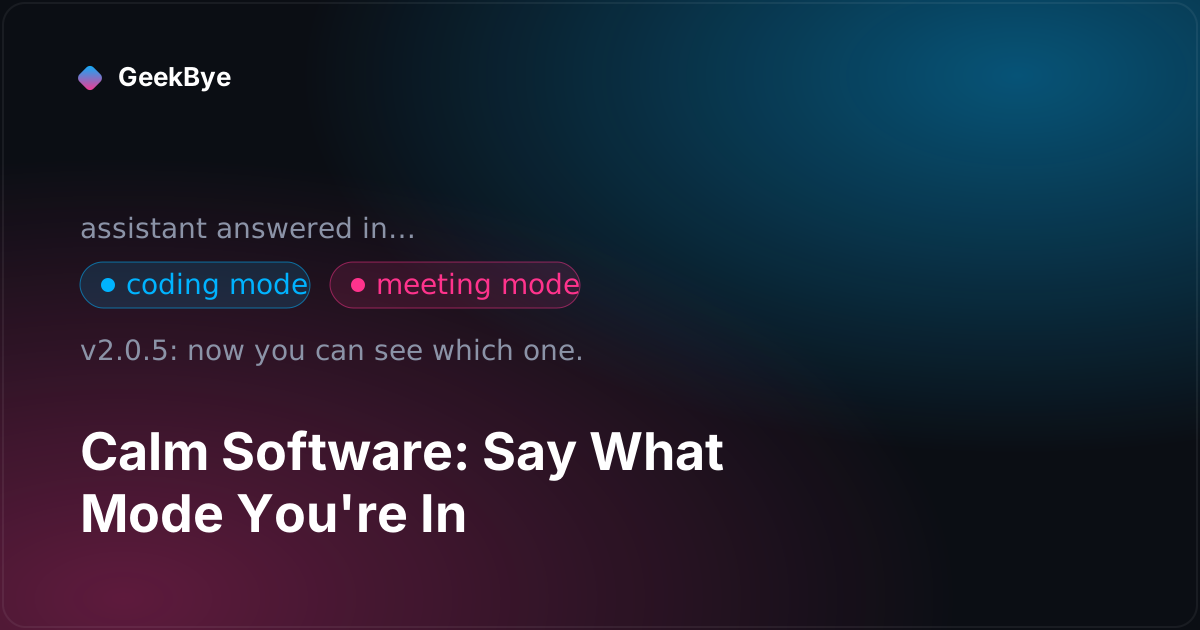
v2.0.5 added a read-only mode chip to the chat: a small label showing whether the assistant answered in meeting mode or coding mode. Read-only is the whole point — it's not a control you set, it's a window into a decision the system already made. You stop guessing why an answer feels off; you can see the frame it came from.
The detail that makes the chip honest
Here's the engineering choice worth passing on, because it's the kind of thing that separates a bolted-on indicator from a trustworthy one.
The mode information comes from the backend as part of the streamed response — a small mode frame in the server-sent event stream. But an older client that predates this feature wouldn't know what a mode frame is; at best it ignores it, at worst it renders something garbled. So the client announces its capability: it sends a request header saying I know how to show a mode chip, and the backend only emits the mode frame to clients that sent it. Old clients never receive a signal they can't handle; new clients get exactly the frame they asked for.
It's a one-header handshake, and it's the difference between "we added a feature" and "we added a feature without breaking anyone who hasn't updated yet." The same review pass tightened the rest of the behavior: the chip clears itself on reset and when the conversation context changes (a stale mode label is its own little lie), and it only shows in the chat view where it belongs.
What two "no-feature" releases taught us
- Jitter is a trust signal. A flickering toggle, a bouncing switch, a label that lingers a frame too long — none of them are bugs in the crash sense, but every one whispers this app isn't quite in control. Calm is the absence of those whispers, and you earn it one race condition at a time.
- A hidden mode makes correct behavior look like a bug. The assistant was doing the right thing and getting blamed for it, purely because the user couldn't see the frame. When your system makes an invisible decision that changes the output, show the decision — a read-only chip is often the entire fix.
- New features should be invisible to clients that can't use them. The capability-header handshake means the mode signal only reaches clients that can render it. Backwards compatibility isn't a version check bolted on later; it's a client saying what it understands and a server respecting the answer.
These are the releases nobody writes changelog headlines about, and they're a big part of why GeekBye v2 feels the way it does. For the release this calm was built on, see what a version 2 actually takes (v2.0.0). For the reliability work alongside it, the day our app DDoSed itself (v2.0.1) and why your AI notetaker stops recording mid-meeting (v2.0.9). For the macOS-specific fix in the very next release, why your Mac app forgets microphone access every launch (v2.0.6).