Born and Fixed in Twelve Minutes
GeekBye v1.8.10's changelog says it fixed a crash while editing keyboard shortcuts. It did — but the crash was introduced and fixed in the same pull request, twelve minutes apart, and never reached a single user. The real story is the reliability cascade that produced it: a small, correct change to when shortcuts are suspended, and the React teardown bug that fell out of one line meant to make the editor safer.
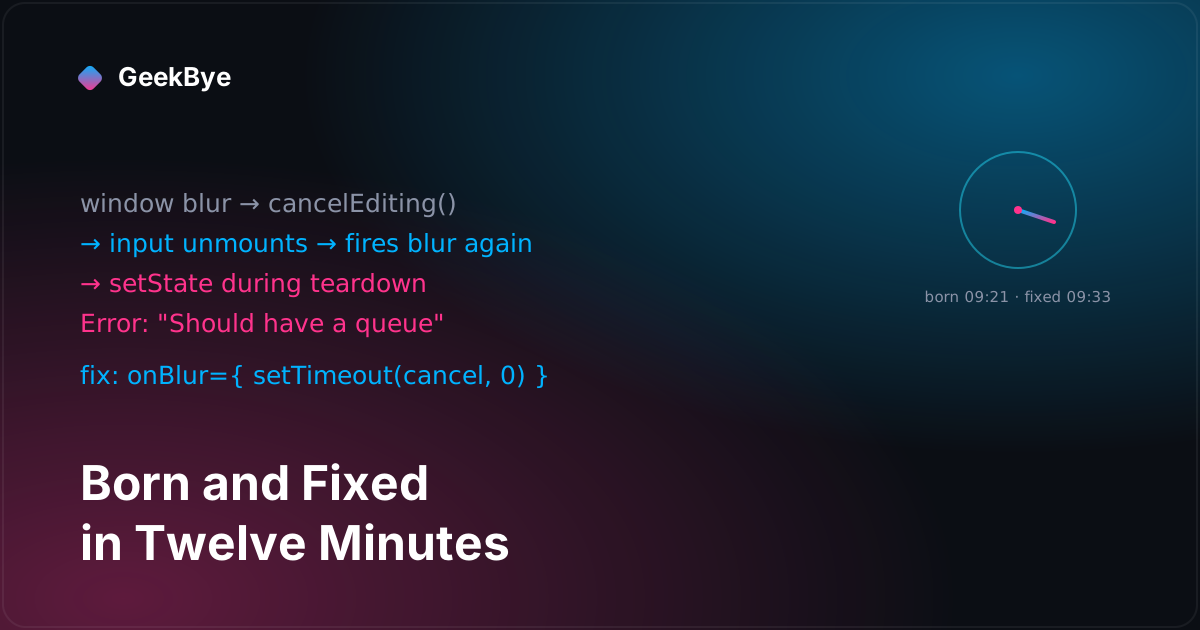
Here is the most honest sentence I can write about GeekBye v1.8.10: the crash it's famous for fixing never happened to anyone. The changelog says "Fixed a crash while editing keyboard shortcuts and switching windows mid-edit," which is true, and reads like a bug that shipped, bit users, and got patched in a follow-up. It wasn't. The crash was introduced by one commit and deleted by another in the same pull request, twelve minutes apart, on the same Friday morning. It lived entirely inside a branch. The release notes describe a scar that formed and healed before anyone outside the repo could see it.
That's not a failure of the changelog; it's the honest shape of iterative work, and it's worth telling because the twelve minutes contain a genuinely instructive React bug. But to understand the crash you have to understand what the release was actually for — because the crash was collateral damage from fixing something else.
What the release was actually about
GeekBye lets you rebind its keyboard shortcuts in Settings. While you're recording a new combo, the app has to stop its global shortcuts from firing — otherwise pressing Cmd+B to assign it would just toggle the window instead of being captured. So the editor suspends global shortcuts over IPC: the renderer calls window.electronAPI.setShortcutsSuspended(true), and the main process's ShortcutsHelper responds by calling unregisterAll(), dropping every globalShortcut registration so the keypress reaches the capture input instead of triggering an action. On resume it calls registerGlobalShortcuts() to put them back.
The bug that started all of this (issue #233) was about the scope of that suspension. The old code suspended shortcuts for the entire time the shortcuts settings page was open — not just while you were actively recording a key. Most of the time that's invisible. But if you opened the page, started doing something else, and navigated away without ever finishing an edit, the app could be left with all its global shortcuts unregistered — silently dead — until you went back. The commit that fixes it is candid about the symptom: suspending too broadly risked "making the app appear broken if the user forgot they had the page open."
The fix is a one-line narrowing: suspend only when a row is actually being edited — keyed on !!editingShortcut, the hook state holding the id of the row you're recording — instead of for the whole visit. Good change. But "only suspend while editing" raises an immediate question: what counts as finishing an edit? Pressing a key finishes it. Pressing Escape cancels it. But what if you just… click away, or switch to another app entirely, mid-capture? If nothing cancels the edit, you're left recording a shortcut into a window that isn't focused, and shortcuts stay suspended. So the same PR added a safety valve: cancel editing when focus leaves. And that's the line that crashed.
The twelve-minute bug
The safety valve was a useEffect in ShortcutsSettings.tsx that, while a row was being edited, listened for blur:
const handleBlur = () => cancelEditing()
window.addEventListener('blur', handleBlur)
inputRef.current?.addEventListener('blur', handleBlur) // the landmine
Two listeners. One on the window — fires when you switch to another app. One attached directly, as a raw DOM listener, to the capture <input> — meant to fire when you click away to another element. They look redundant and harmless. They are not.
Walk the sequence for "switching windows mid-edit," which is exactly the changelog's phrase:
- You're recording a shortcut; the
<input>is focused. You Cmd+Tab to another app. - The window blur fires.
handleBlurrunscancelEditing(), which setseditingShortcutback tonull. - Setting that state unmounts the
<input>— the row leaves edit mode, so the input is removed from the DOM. - Removing a focused element from the DOM synchronously dispatches a
blurevent on that element. The rawinputReflistener catches it and callscancelEditing()again — this time in the middle of React's commit phase, while the component tree is being torn down. - Calling a state setter on a fiber that's mid-teardown trips one of React's internal invariants, and it throws:
"Should have a queue". The settings view crashes.
The bug isn't the window listener and it isn't really the concept of "cancel on blur." It's that one of the two listeners was a raw addEventListener on a React-managed element. React doesn't know about that listener, doesn't clean it up on unmount, and — crucially — the browser fires blur during the very DOM removal that React is performing, so the handler re-enters your state logic at the worst possible instant. The fix commit's message says it more precisely than I can: "when cancelEditing unmounts the input, the blur fires and calls cancelEditing again during React's render cycle."
The fix
bf28a50, twelve minutes after the crash was born, does two small things.
First, it deletes the raw input listener and keeps only the window one, which is the only one that needed to be a manual DOM listener at all (there's no React onBlur for "the whole window lost focus"):
const handleWindowBlur = () => cancelEditing()
window.addEventListener('blur', handleWindowBlur)
return () => {
  window.removeEventListener('blur', handleWindowBlur)
}
Second, it moves the click-away case — "user clicked another element" — onto React's own onBlur prop on the input, and defers it a tick:
onBlur={() => {
  // Deferred to avoid state updates during React's render cycle.
  setTimeout(() => cancelEditing(), 0)
}}
Both parts matter. Using React's onBlur prop instead of a raw listener means React owns the handler's lifecycle and won't leave it dangling. And the setTimeout(…, 0) guarantees that even when this blur is triggered by an unmount, the cancelEditing() call lands on the next tick — after the current render and commit have finished — so it can never update state on a component that's still tearing down. If the component is already gone by then, the deferred call is a harmless no-op.
That's the whole fix. Delete the listener React couldn't see; let React schedule the one that's left.
Why this is the good kind of boring
There's a temptation to file this under "trivial" — a setTimeout, a deleted line — and move on. But the shape of it is one of the most common ways React desktop apps crash, and it's worth internalizing:
- The crash only appears at a lifecycle boundary (unmount), triggered by an event the framework doesn't schedule (a native blur during DOM removal). It won't show up in a click-through test; it needs the specific "focus leaves while editing" path.
- The root cause is mixing two ownership models — raw DOM events and React's synthetic, scheduled events — on the same element. The moment your handler mutates state that can unmount that element, the raw path becomes re-entrant.
- The fix is not "add a guard flag" (though an
isMountedref would have masked it); it's removing the raw listener entirely, which is the smaller change and the correct one. Subtraction again.
And the meta-lesson, the one this whole series keeps circling: read the diff, not the release note. "Fixed a crash while editing keyboard shortcuts" is accurate, but it hides that the crash was self-inflicted, same-morning, and never shipped — and that the real release is a quiet correctness win about when to suspend a global shortcut.
What else shipped
Two more things rode along in v1.8.10, both worth a line. The shortcut system also gained self-healing across sleep/wake: macOS can silently drop an app's global shortcut registrations when the machine sleeps, so a resume handler now re-verifies and re-registers them, meaning your shortcuts still work after the laptop wakes without a relaunch. And on the AI side, the client got smarter about rate limits — streaming requests that hit a 429 now back off exponentially and reset their counter when you stop recording, instead of waiting out a fixed delay. Three reliability fixes to different subsystems, one of which is the crash that was never a crash.
For the previous chapter in the v1 story, printing a meeting to PDF without a PDF library (v1.8.9); for the next, taking the backend out of the upload path (v1.8.11–v1.8.13); and for the whole arc, the anatomy of shipping software to perfection.