Printing a Meeting to PDF Without a PDF Library
GeekBye exports a meeting as a PDF, and there is no PDF library anywhere in the code. It renders HTML in an invisible browser window and prints it. That choice is the whole story: it made the feature easy to build and gave it every failure a real browser has — a white flash, a URL length limit, and a page break that cut screenshots in half. The fix for the ugliest bug was one line of CSS.
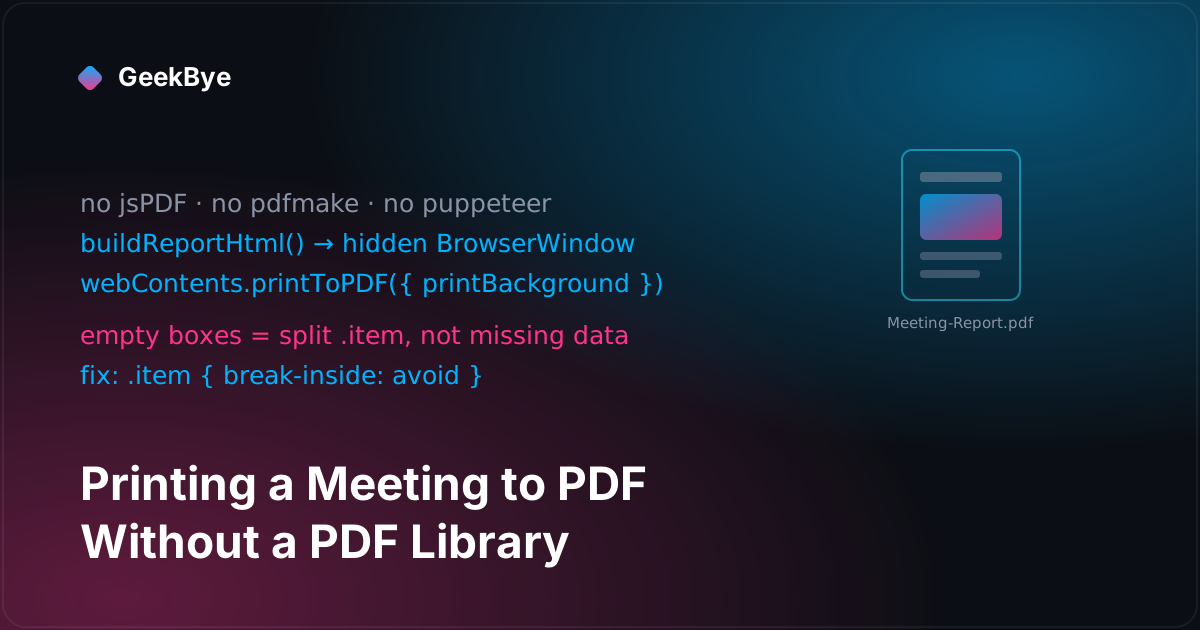
There is a satisfying trick hiding in GeekBye's "export this meeting as a PDF" button: there is no PDF library behind it. No jsPDF, no pdfmake, no pdfkit, no headless puppeteer. The entire feature is a hidden browser. The app builds an HTML page describing the meeting — transcript entries, screenshots, timestamps — loads it into an invisible Electron window, and asks that window to print itself to PDF. webContents.printToPDF does the rest. That single architectural choice is the whole story of this release, because it made the feature cheap to build and handed it every bug a real browser has.
The before is the same release
Usually these posts open with "here's how it worked before." This time there is no before. The changelog for v1.8.9 reads like maintenance — "fixed page breaks splitting screenshots and filtered empty entries" — as if PDF export were an existing feature getting patched. It wasn't. The first commit that introduces it, feat: add PDF export via Electron printToPDF, lands three days into the same release cycle, and every "fix" in the changelog is same-week iteration on code that was hours old. The feature was born, broke, and got hardened all inside one tag. That's worth saying out loud because it's the honest shape of a lot of shipping: the polished bullet in the release notes and the messy birth of the thing are frequently the same release.
Why a hidden browser at all
The mechanism is worth understanding before the bugs, because the bugs all descend from it. Everything lives in one main-process file, electron/ipcHandlers/pdfExportHandler.ts. When the renderer fires the 'pdf:export-report' IPC, the handler:
- Calls
buildReportHtml()to assemble a full HTML string from the meeting's timeline — one.itemblock per transcript entry or screenshot. - Writes that HTML to a temp file in
os.tmpdir(). - Loads the file into a hidden window —
new BrowserWindow({ show: false, opacity: 0, focusable: false, skipTaskbar: true }). - Waits for the images to load, then calls
win.webContents.printToPDF({ printBackground: true, margins: { … } }). - Saves the result to
app.getPath('downloads')asMeeting-Report-<timestamp>.pdf.
The appeal is obvious. A PDF library makes you position everything by hand — draw text at (x, y), measure it, advance the cursor, manage page breaks yourself. A browser already does all of that: you write <div>s and CSS, and Chromium's layout engine paginates for you. You're not learning a drawing API; you're writing a web page. For a document that's mostly styled text and embedded images, that's a huge shortcut.
The catch is that you also inherited a browser, with all of its edge cases. Three of them showed up within the first four days.
The white flash. A hidden window on macOS isn't reliably hidden. The first attempts positioned it off-screen (x: screenWidth + 1000), and it still flashed a white rectangle on screen for a frame before printing. The fix, after three tries, was to stop relying on position or show: false and set opacity: 0 — a fully transparent window doesn't flash even when the compositor briefly shows it. The commit says it plainly: "show:false with off-screen positioning still flashes on macOS."
The URL length limit. The first version inlined the whole HTML — screenshots and all — as a data: URL. That works until a meeting has a few base64-encoded screenshots in it, at which point the URL sails past Chromium's ~2 MB data-URL limit and the load fails outright with ERR_INVALID_URL. That's why step 2 above writes a temp file and does loadFile() instead of loading a data URL: a file path has no length limit. (That ~2 MB is the one number in this whole story, and it's an inline estimate in a code comment, not something anyone benchmarked — treat it as "big enough to hit," not a precise threshold.)
The unescaped text. Transcript text is arbitrary user content, and it was being dropped straight into the HTML string. Any transcript that happened to contain something like <div> or <script> would break the page or worse. So the handler grew an escapeHtml() pass over every string it interpolates. The moment your PDF is a web page, HTML injection is your problem too.
The empty boxes that were not empty
Now the headline bug, because it's the best one. Users reported exported PDFs with empty boxes — entries that showed a timestamp and a badge but no screenshot, just blank space where the image should be. The obvious reading is "the export is dropping image data," and the obvious fix is "filter out the empty entries." The team did add that filter — more on it in a second — but it wasn't the real cause.
The real cause was pagination. Each entry is a .item container holding a timestamp, a badge, and an image. Chromium, printing to PDF, was happy to break a page in the middle of an item — rendering the timestamp and badge at the bottom of one page and pushing the image onto the next. What looked like an empty box was the top half of an item whose image had overflowed to the following page. The data was all there; the layout had guillotined it. The commit is candid about the misdiagnosis: "The empty boxes in exported PDFs were caused by Chromium's printToPDF splitting .item containers across pages — the time/badge rendered on one page while the image overflowed to the next."
The fix is one line of CSS:
.item {
  break-inside: avoid;
}
break-inside: avoid tells the layout engine to keep an item whole — if it won't fit in the remaining space on a page, move the entire item to the next page rather than splitting it. This is the payoff of the hidden-browser architecture stated in miniature: the ugliest, most-reported bug in the feature was fixed not with page-height arithmetic and manual addPage() calls, but with a single CSS property that the browser already knew how to honor. You didn't write a paginator; you asked the one you inherited to behave.
Two layers of actually-empty filtering
There were genuinely empty entries too — just not the ones causing the boxes. Blank duplicates from a rapid double Cmd+Enter, screenshots with no preview, transcript entries that were only whitespace. These got filtered, and interestingly they got filtered twice, at two layers:
- In the handler,
buildReportHtml()guards each item —if (!item.content?.trim()) return ''for text, and for imagesconst safeSrc = item.preview?.startsWith('data:image/') ? item.preview : ''; if (!safeSrc) return ''— then.filter(Boolean)drops the empties. That last check is doing double duty: it's a validity gate and a small safety check that only real image data ever reaches the page. - At the timeline source, in the renderer, the same emptiness is filtered before an item is ever added —
if (!entry.text?.trim()) return,if (!screenshot.preview) return.
The nice detail in the history is the method. The first commit added a logger.debug('PDF timeline item', …) loop explicitly "for debugging empty entries." Once that logging revealed where the blanks were actually coming from — including a separate screenshot-deduplication bug where rapid captures produced blank duplicates — the follow-up commit fixed the root cause upstream and removed the debug logging. Add instrumentation to find the cause, fix the cause, delete the instrumentation. The changelog bullet "filtered empty entries" quietly contains that entire add-then-remove arc.
v1.8.12: "excludes AI responses," read the diff
Three releases later, one more change — and it's a good lesson in reading the code instead of the changelog. The v1.8.12 note says PDF export now "excludes AI responses for cleaner meeting records." True, but incomplete.
The export timeline tags each item with a type: 'transcript' | 'chat_user' | 'chat_assistant' | 'screenshot'. A spoken meeting line is a transcript; a question you typed into the assistant panel is a chat_user; the AI's answer is a chat_assistant. The v1.8.12 change is a nine-line edit to one renderer file, and the operative line is a filter placed just before the export payload is built:
timeline.filter((item) => item.type === 'transcript' || item.type === 'screenshot')
That's an allowlist, not a blocklist. It doesn't remove chat_assistant items; it keeps only transcript and screenshot and drops everything else — which means it strips the user's own chat_user questions along with the AI's answers. The commit body is more accurate than the changelog: "PDF export keeps only transcripts and screenshots, no chat messages." The exported record is now purely the meeting — what was said and what was on screen — with the entire assistant side-panel conversation removed from it.
And that's the right call, product-wise. GeekBye's chat is a private assistant you consult during a call — ask it about a screenshot, get a quick explanation. Those exchanges are your scratchpad, not part of the meeting. A meeting record you'd share with someone should contain the meeting, not your side-conversations with an AI about it. The allowlist just makes "the meeting" the literal definition of what gets exported.
Three things this release taught us
- A browser is a PDF renderer you already have. If your document is structured text and images,
printToPDFover a hiddenBrowserWindowgets you real pagination, real font rendering, and CSS layout for free — no PDF drawing API. You trade a library dependency for browser edge cases, which is often the better trade. - The bug you can see and the bug that exists are not always the same. "Empty boxes" screamed missing data; the cause was a split container. Instrument before you assume — the team's debug logging is what turned a plausible-but-wrong fix (filter empties) into the real one (
break-inside: avoid). - The changelog is a summary; the filter is the truth. "Excludes AI responses" is an allowlist that also drops your own chat questions. When a release note describes a behavior change, the diff will tell you its exact edges — and here the exact edge is "only the meeting survives."
For the previous chapter in the v1 story, from OCR to pixels without losing the fallback (v1.8.6–v1.8.7); for the next, born and fixed in twelve minutes (v1.8.10); and for the whole arc, the anatomy of shipping software to perfection.