From OCR to Pixels Without Losing the Fallback
GeekBye stopped reading your screenshots with OCR and started sending the actual image to vision models — which is the easy part. The instructive part is the optimization that skipped OCR entirely for vision users, quietly broke the fallback to non-vision models, and had to be walked back to a version where the safety net runs in parallel and costs nothing.
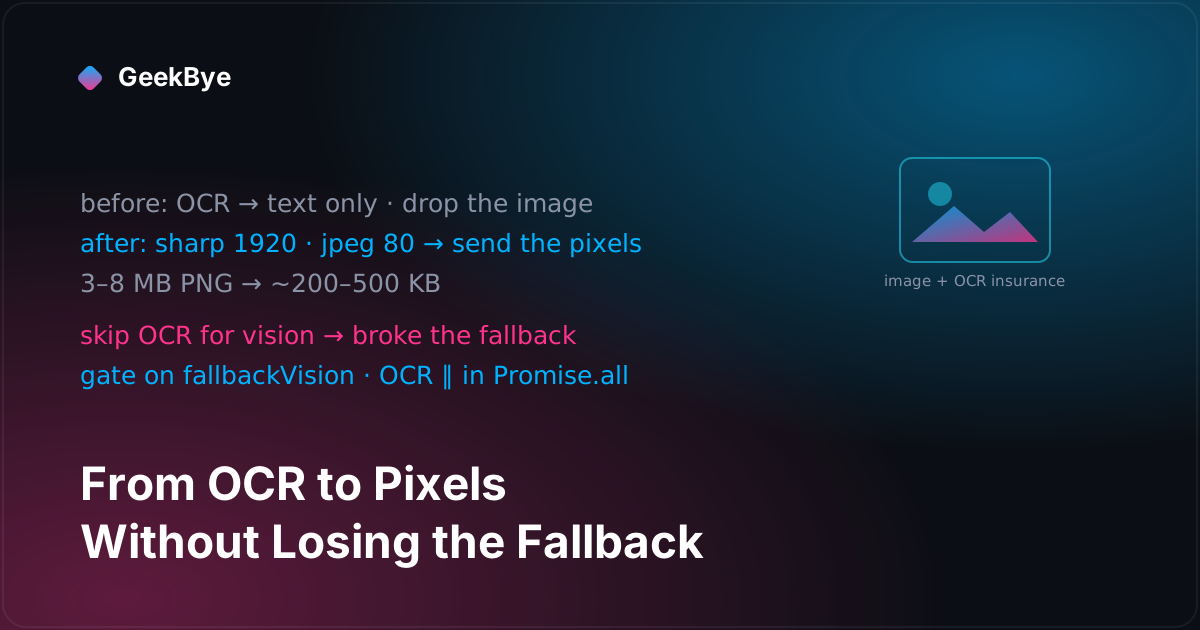
There's a genuine fork in the road for any app that lets you screenshot something and ask an AI about it. You can run OCR — extract the text on-device, send a tiny string, and throw the picture away. Or you can send the pixels — ship the actual image and let a vision-capable model read it. OCR is cheap and small but blind to everything that isn't text: the layout, the diagram, the indentation of the code, the red squiggle under the error. Pixels preserve all of that but cost more bytes and require a model that can see. GeekBye started on the OCR side of that fork and, across v1.8.6 and v1.8.7, walked over to the pixels side. That switch is the easy part of this story. The interesting part is the optimization that came with it, broke the fallback, and had to be undone.
The before: read the text, drop the picture
Until this arc, a screenshot became an answer like this: you press the capture shortcut, the client runs OCR — Apple's Vision framework through a Swift VisionOCR binary on macOS, a PowerShell script on Windows, both behind one IOcrEngine abstraction — and the extracted text gets wrapped into a string and sent to the backend as screenshotText. The image itself never left the machine. That's efficient, and for a wall of plain text it's fine. But a screenshot is rarely just text. It's a job posting with a two-column layout, a coding problem with a diagram, an error with a stack trace whose indentation is the clue. OCR flattens all of that into a line-by-line transcription and the model answers a thinner question than the one you asked.
The switch: send the pixels (v1.8.6)
v1.8.6 added the other path. A new imageOptimizer.ts, built on sharp and therefore cross-platform, does exactly three things to a raw screenshot:
sharp(pngFilePath).resize({ width: 1920, withoutEnlargement: true }).jpeg({ quality: 80 })
Resize to at most 1920px wide (never upscale a smaller capture), convert PNG to JPEG, quality 80. The output is raw base64 with the media type carried in a separate field, and it rides to the backend in two new request fields alongside the old one: screenshotImage and screenshotImageMediaType, independent of screenshotText. The backend can now receive an image, text, or both.
That optimization step is not cosmetic. A raw screenshot PNG is 3–8 MB; the resized JPEG is roughly 200–500 KB. That's an order of magnitude off the upload, and it also cuts the model's bill — vision models tile an image by its resolution and charge by the tile, so capping the width at 1920 and recompressing directly reduces both the bytes on the wire and the image tokens you pay for, with no meaningful loss of legibility for on-screen text.
How does the app know whether the model can even see? The backend advertises it. The /api/config response gained an ai.vision block keyed by plan, and the client caches a single boolean — aiSupportsVision — on every config fetch. When vision is supported, optimize the image; when it isn't, fall back to OCR. So the capability is a backend fact, cached client-side, and the per-screenshot decision to run or skip OCR is made on the client from that flag. The backend still owns which model actually answers.
The optimization that was too clever
Here's where it gets instructive. The first cut of the vision path ran OCR and image optimization together, in parallel. Then a "perf" commit tightened it into an either/or: if the plan supports vision, optimize the image and skip OCR entirely; if it doesn't, run OCR and skip the image work. On paper this is the obvious win — why extract text the vision model doesn't need? The changelog even advertises it: "OCR is skipped when the AI can read the image directly."
The problem is the word fallback. The backend doesn't have one model; it has a primary and a fallback, and the fallback might be a non-vision model. Picture the sequence: your plan's primary model supports vision, so the client proudly skips OCR and sends only the image. The primary provider hiccups. The backend falls back to a text-only model — which is now handed an image it cannot read and no text, because the client optimized the text away. The fast path had quietly deleted the safety net. You can drop a redundant fast path safely; you cannot drop the thing the fast path was a shortcut around.
The fix: gate on the fallback, not the primary
The fix is the part worth stealing. It wasn't to go back to always running OCR — that would throw away the win for the common case. It was to make the skip conditional on a second capability flag: does the fallback support vision? The backend's config gained a fallbackVision block; the client caches aiFallbackSupportsVision next to the first flag. Now the decision has four branches:
- Primary and fallback both see → optimize the image, skip OCR. The fast, common path.
- Primary sees but fallback is blind → optimize the image and run OCR, as insurance for the fallback.
- Image optimization throws → OCR as a hard fallback.
- Plan has no vision at all → OCR only.
And the second branch — the insurance case — is where the last move matters. Running OCR after image optimization would add its latency back on top. So the two run together under one Promise.all: image optimization and OCR overlap, and the OCR that exists only in case the backend needs it finishes inside the time the image was being optimized anyway. The safety net is free in wall-clock terms whenever it isn't used. That's the whole trick in one sentence: keep the cheap fallback, gate it on whether your fallback provider actually needs it, and parallelize it so it costs nothing until it saves you.
Two smaller traps the skip sprang
Aggressively skipping deferred work has a way of surfacing every place that quietly assumed the work would happen. Two came out in PR review the same week.
A queue deadlock. The screenshot queue considered an item "ready" when it had OCR text. Vision screenshots now never got OCR text — by design — so the completeness check hasIncompleteOCR waited forever and the queue hung. The fix redefines "ready" as has an optimized image or has OCR text, which is what the pipeline now actually guarantees.
A stale capability flag. aiSupportsVision is cached, which means it can go stale in exactly the wrong direction: a user logs out, or a config fetch fails, and the client is left believing it may still send images to a model that no longer supports them. The flag now resets on logout and on config-fetch failure — a cached capability has to have a story for when the thing it describes goes away.
A word on the numbers
Because honesty is the point of this series: the commit messages carry figures — image optimization "~30ms" versus OCR "~100–150ms," payloads "~200–500 KB vs ~3–8 MB PNG" — and they're plausible, but they are the author's own inline estimates, not the output of a benchmark. There is no measured end-to-end before/after latency anywhere in the history. Treat the speed argument as sound design intent, not a proven result. The payload-size reduction is the one number you can trust, because it falls straight out of resizing and recompressing.
Three things this release taught us
- Sending the pixels beats reading the text — when the model can see. OCR discards everything a screenshot communicates besides characters. A vision model reads the layout, the diagram, and the indentation, and an optimized JPEG makes that affordable. But it's a capability bet, which is why it needs a fallback.
- You can optimize away a fast path, never the safety net. Skipping OCR for vision users was correct for the primary and wrong for the fallback. The bug wasn't the skip; it was skipping based on the primary's capability when the fallback's was the one that mattered.
- A free safety net is a parallelized one. Gate the insurance work on whether it's actually needed, then run it alongside the fast path so it overlaps. Done right, graceful degradation costs nothing until the day it's the only reason your feature still works.
For the previous chapter in the v1 story, the two failure modes of a click-through overlay (v1.8.5); for the next, printing a meeting to PDF without a PDF library (v1.8.9); and for the whole arc, the anatomy of shipping software to perfection.