The Two Failure Modes of a Click-Through Overlay
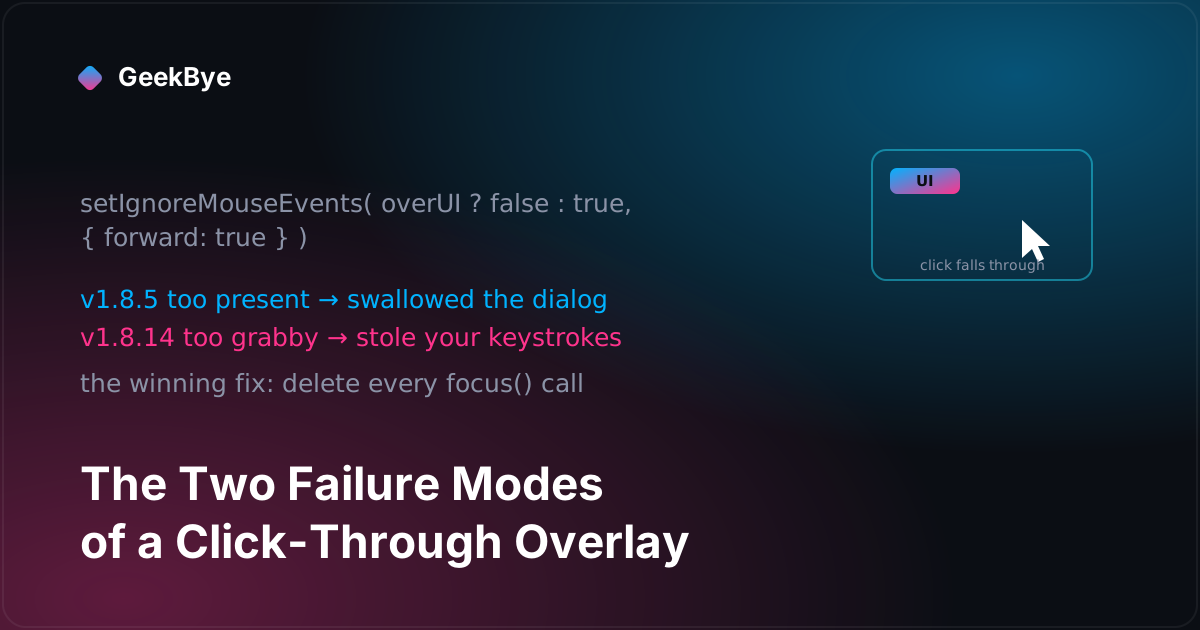
GeekBye's window floats on top of everything and lets your clicks pass through it — except where it has buttons. That is a two-sided contract, and v1.8.5 and v1.8.14 are what it looks like when each side breaks: one release where the overlay swallowed a system dialog, one where it stole your keystrokes. The winning fix for the second was deleting code.
GeekBye's main window is not a normal window. It's frameless, transparent, and always on top — a sheet of glass floating over whatever you're doing, with a few controls painted on it. The interesting engineering isn't that it floats; it's that your mouse is supposed to pass straight through the glass everywhere except the controls. Click a button on the overlay and the overlay gets the click. Click the empty space next to it and the click lands on your meeting app underneath, as if the overlay weren't there at all.
That is a contract with two sides: receive input exactly where there's UI, and be completely invisible to input everywhere else. Both sides have to hold at every instant, and every bug in this part of the app is a violation of one side or the other. Two releases, two months apart, are the cleanest possible illustration — because each one broke a different side.
The contract, mechanically
The implementation is a hook, useMousePassthrough, and it's small. The window is click-through by default. A global mousemove listener asks one question on every move: is the cursor over a control? Controls are tagged with a data-ui-region attribute, so the test is literally target.closest('[data-ui-region]'). Over a control, it calls setIgnoreMouseEvents(false) and the window captures clicks. Over transparent space, it calls setIgnoreMouseEvents(true, { forward: true }) and clicks fall through.
That forward: true is the load-bearing detail. Once a window is ignoring mouse events, it normally stops receiving them entirely — including the mousemove events the hook needs to notice the cursor coming back over a control. forward: true tells Electron to keep forwarding moves to the ignoring window anyway, so it can re-arm itself. Without it, the overlay would go click-through once and never come back. The hook also only calls across the IPC boundary on state transitions — cursor crossing the boundary between UI and glass — not on every pixel of movement. Remember that optimization; it has a hole, and v1.8.5 fell in it.
v1.8.5: when the transparency side breaks
The transparency side of the contract is "be invisible to input everywhere there's no UI." v1.8.5 is what it looks like when the overlay is too present — when it captures or blocks input it should have let past. The trigger was macOS permission dialogs, and there were two distinct failures stacked on top of each other.
The overlay was physically above the dialog. An always-on-top window has a level, and GeekBye's overlay sat at the highest one macOS offers — screen-saver. That's above almost everything, including the system's own Microphone and Screen Recording permission dialogs. So during onboarding, at the exact moment macOS asked for permission, the dialog could render underneath the overlay and be invisible. The fix, setPermissionMode, is macOS-only and does the un-intuitive thing: it lowers the overlay to the floating level for the duration of a permission request, then restores it afterward. And restoring it needed a specific trick, documented right in the commit: macOS "doesn't always visually re-raise a window when setting the same level it was previously at," so the code steps the window through an intermediate level — floating → status → screen-saver — to force the window server to recalculate the stacking order. You don't set the level you want; you walk to it.
The overlay was eating the dialog's clicks. Onboarding paints a dark full-window backdrop, and the passthrough hook special-cases it: while that backdrop is up, it forces click-capture on the whole window so the wizard is fully interactive. But "capture every click" is exactly wrong when a system dialog is trying to collect one. The fix strips the backdrop's marker attribute during a permission request, so the hook drops out of capture mode and the dialog's buttons get their clicks. The overlay keeps its own controls interactive; it just stops pretending the empty glass is a button.
The hole in the optimization. Remember that the hook only acts on transitions. When the window left capture mode, it re-ran the hover test — but if your cursor was already sitting on a control at that moment, the "are we over UI?" answer was already "yes," so no transition fired, and click-through was never disabled. The control looked alive and was dead. The fix (1b6eb20, quoted) stops trusting the transition: "when exiting onboarding mode, directly evaluate whether cursor is over a UI region and make the correct IPC call." When you change modes, you don't wait for the next move to tell you where the cursor is — you look.
And make the cession reversible. The subtle risk in all of this is that the overlay is now temporarily giving up its z-order and its click-capture, and something has to give them back. If the restore call throws — an IPC hiccup, a window torn down mid-request — the app could be stranded with isRequestingPermission stuck true and a dark backdrop hiding your whole screen, permanently. So the exit path got wrapped so the state-reset "always executes," plus a multi-minute safety timeout and a cleanup on window destroy. The rule that falls out: every time an overlay cedes input, the un-ceding has to be in a finally, not a happy path.
v1.8.14: when the capture side breaks
The other side of the contract is "receive input where there's UI." v1.8.14 is what it looks like when the overlay is too grabby — when interacting with it costs you the input focus of the app you actually care about.
The symptom in the changelog is focus-stealing, and here's the honest version, because the git history is more instructive than the release note. The overlay's shortcut handlers — toggle visibility on Cmd+B, open the chat window, scroll it — each used to call mainWindow.focus(), and on macOS app.focus({ steal: true }), to make sure the overlay was frontmost when you triggered it. The problem is that focusing the overlay deactivates whatever was frontmost before — your meeting, your editor — so a keystroke meant for them could land nowhere, or in the wrong place. The overlay was grabbing a thing it didn't actually need.
That last part is the whole lesson, and the team found it the hard way. The branch that became v1.8.14 first tried to solve dragging specifically — because dragging has its own beautiful version of this bug: when you drag a full-screen overlay, the window moves under a stationary cursor, so the hover model thinks the pointer "left" the control and flips to click-through mid-drag, dropping the drag. So they added a dragLock. Then they tried making the whole window non-focusable — which broke typing and dragging, so they restored focusability, then narrowed non-focusability to just text inputs, then ripped the toggle out. They built a custom drag IPC to replace Electron's native drag. They added blur-on-unexpected-focus. A week of this.
Then they deleted almost all of it. The commit that shipped reverted the custom drag, the focusable toggle, and the blur handler, and kept exactly one idea: stop calling focus(). The realization, written into a code comment, is that the overlay never needed OS focus in the first place — "IPC messages (webContents.send) work without window focus." The overlay drives its own renderer directly; focus was pure collateral damage. The shippable fix wasn't the clever custom-drag rewrite built in a day. It was subtracting the focus calls that shouldn't have been there. (Worth saying plainly: the changelog says "while dragging it," but what actually shipped was removing focus-steal from the keyboard-shortcut handlers — the drag-specific machinery was explored and reverted the same week.)
The stakes, made literal
If you want proof that this contract is not academic, look at what happened months later when the overlay got stuck on the wrong side of it. In a much later release, the renderer process crashed while the overlay was in capture mode — setIgnoreMouseEvents(false), window grabbing all clicks — and with no living UI to release it, the invisible full-desktop window sat there eating every click on the user's machine until they force-quit. A transparent window stuck in capture mode isn't a dead button; it's a desktop-wide click trap. (That one got its own diagnosis — see when your AI notetaker stops recording mid-meeting, which pairs it with a very different bug in the same release.) It's the sharpest statement of the whole problem: get the toggle stuck one way and your UI is dead; stuck the other way and your whole desktop is.
Three things these releases taught us
- A click-through overlay is a two-sided contract, and both sides fail differently. Too transparent and your own controls go dead; too grabby and you swallow other apps' input. Most overlay bugs are just one of those two, and naming which side you're on tells you where to look.
- The highest always-on-top level is not a prize. Sitting above everything means sitting above the system dialogs you need the user to see. Design for when your overlay should politely step down — and make stepping back up reversible in a
finally, because a half-completed cession is worse than never ceding. - Subtraction beats cleverness. The winning v1.8.14 fix was deleting
focus()calls the overlay never needed, found only after a week of building and reverting custom drag handling. When a feature keeps fighting the platform, the question to ask first is whether you can remove the thing doing the fighting.
For the previous chapter in the v1 story, putting the release in CI, twice (v1.8.4); for the next, from OCR to pixels without losing the fallback (v1.8.6); and for the whole arc, the anatomy of shipping software to perfection.