Meetings You Can Actually Find Again: The Timeline Release
GeekBye v1.7.3 replaced the meetings dropdown with a real timeline — human dates, search, a breadcrumb that says which meeting you are in. Underneath: an auto-select race, a screenshot that predates its own meeting, and five Windows fixes in twenty-eight minutes.
By January 2026, GeekBye users had a history problem. The app was recording and analyzing their meetings just fine — and then filing them into a dropdown. A dropdown is fine for three items. By meeting fifteen, "that interview from last Tuesday" was an archaeology expedition through identical-looking rows. v1.7.3 — 64 commits between mid-December and January 16 — is the release where meetings became something you could actually find again.
(One bookkeeping note, because the git history is honest even when version numbers aren't: there is no v1.7.2 release tag. The version was bumped, but the next tag to ship was v1.7.3, so the v1.7.2-era Windows fixes rode along in this release.)
From dropdown to timeline
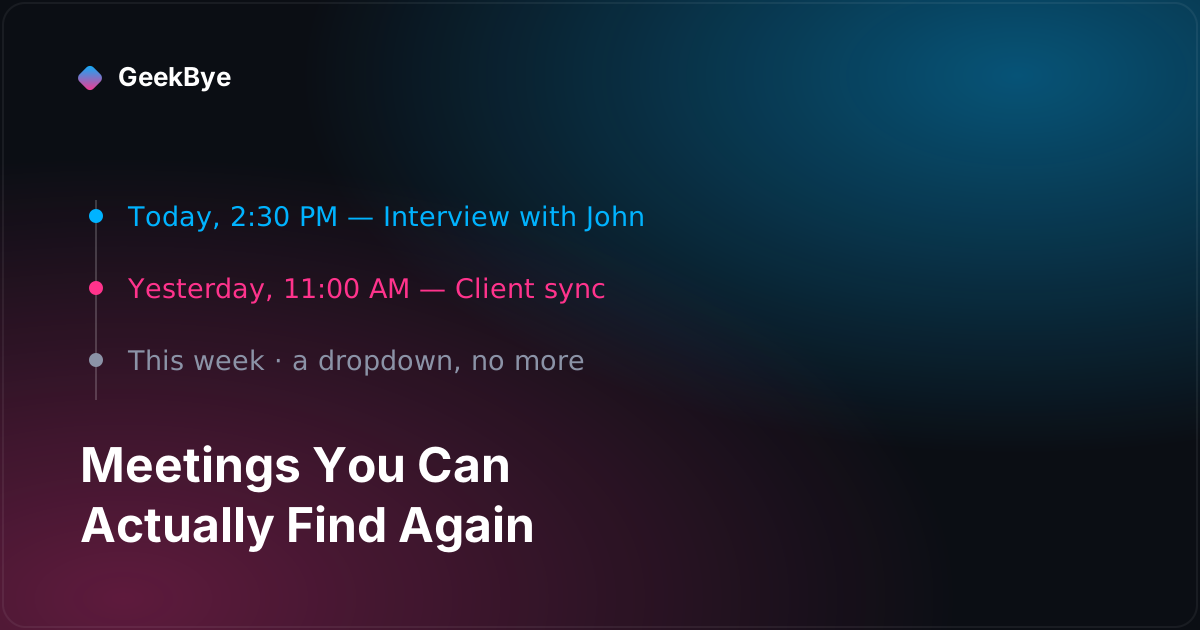
The headline change is one pull request: 12 files, +640 lines, most of them a new 381-line MeetingsTimeline component. The dropdown became a scrollable timeline of meeting cards, grouped into four buckets — Today, Yesterday, This Week, Older — with dates rendered the way a human would say them: Today, 2:30 PM, Yesterday, 2:30 PM, Mon, 2:30 PM for this week, and Jan 5, 2:30 PM beyond that. Cmd/Ctrl+K focuses a search box that filters by title. The meeting detail view became a real navigation page, so the navbar's back and forward buttons finally mean something, and the breadcrumb stopped reading "Meetings / Meeting" and started reading "Meetings / Interview with John" (truncated with an ellipsis, because someone will always name a meeting like a novel).
Two small quality-of-life pieces shipped with it: a delete button inside the meeting view (which navigates you back to the timeline after deleting, instead of stranding you on a dead page), and auto-navigation — when a listening session ends with actual transcript content, the dashboard opens directly on that meeting's detail page. End the call, see the meeting. Sessions that end empty are quietly deleted instead of cluttering the timeline. (That auto-jump didn't survive forever: a few releases later, the dashboard redesign removed it, because a screen that yanks you somewhere the moment a session ends is a surprise as often as a convenience.)
The race you create by improving navigation
Here's the part the changelog doesn't tell you. The old meeting list had a habit: on every load, it auto-selected the newest session. Harmless when the list was a dropdown you rarely touched. Fatal the moment meetings became a page you navigate: click meeting #5, a background refetch completes, and the list helpfully selects the newest meeting — overwriting the choice you made two seconds ago. The fix wasn't a cleverer guard; it was deleting the auto-select entirely. Any list that selects things on the user's behalf will eventually fight the user.
Removing it exposed the second race. Auto-navigation jumps to a meeting the instant its session ends — which can be before that session has finished writing to the local SQLite database. Navigate too fast and you arrive at a meeting that doesn't exist yet. The shipped fix is a 500-millisecond delay before loading sessions when arriving in detail view, and the navigation handler carries its own hedges — wait for the window's did-finish-load plus 100ms if the dashboard was just created, 50ms if it was already open. Our reading: session-end navigation crosses three timing domains — the database write, the window load, and the React mount — and each one got its own small delay. It works, and we'll say plainly that a stack of magic numbers is honest debt, not a victory.
The screenshot that predates its own meeting
One more assumption died in this release: "screenshots belong to a session if and only if they were taken during it." Perfectly logical. Wrong. Real users hit Cmd+H on the job posting, the agenda, the code they're about to discuss — before pressing Start. The Report tab matched screenshots to the session's time range strictly, so those prep screenshots vanished from the report they were taken for. The fix widened the matching window by 60 seconds before session start. (The time-range machinery itself is older — it shipped quietly in v1.6.15; v1.7.3's contribution is teaching it that meetings begin slightly before they begin.)
Five fixes in twenty-eight minutes
The war story of this release isn't in the timeline at all — it's in the Windows onboarding overlay, and it's a textbook "fix the fix" chain: five commits between 10:50 and 11:18 on the same morning.
GeekBye's main window uses mouse passthrough — a hook that toggles Electron's setIgnoreMouseEvents on every mouse move so clicks fall through transparent areas. During onboarding on Windows, that hook fought the tutorial overlay, and at the step where the dashboard window appears, the app froze. Fix one: make the hook do nothing while onboarding is active. Peace through disarmament.
Except now the onboarding buttons didn't respond, because event forwarding was shipping the clicks to the dashboard window underneath the overlay. Fixes two and three fiddled with forward: false per wizard. Then came the commit that found the actual root cause: when the dashboard window opens, its drag handler resets the main window to click-through mode — and the first fix had made the passthrough hook passive, which meant nothing was left to correct the interference. The real fix inverted the strategy: the hook now actively re-asserts setIgnoreMouseEvents(false) on every mouse move during onboarding, precisely because external code can reset it at any time. It also deleted 75 lines of the earlier per-wizard workarounds.
And even then there was a fifth commit, because winning the input war isn't winning the z-order war: the overlay and the dashboard both sat at the same always-on-top level, and Windows raises whichever window gets focus. The overlay moved to a higher window level and re-raises itself on a delay after the dashboard appears. The arc is worth remembering: a passive fix that disarms your only defender is worse than the original fight.
Three things this release taught us
- Navigation upgrades surface state bugs. The auto-select race existed before v1.7.3; a dropdown just never let you feel it. The moment meetings became a page you deliberately navigate, every piece of code that selected things for you became a bug.
- Time boundaries around user intent need slack. Sessions, recordings, reports — users act slightly before and after the machine's official window. The 60-second screenshot buffer is one line that reflects how people actually behave.
- Never make your corrective code passive. The Windows freeze took five fixes because fix one turned off the only mechanism that could counteract external interference. If some other code can break your invariant at any time, your job is to re-assert it continuously, not to stand down.
For the previous chapter in the v1 story — building two branded apps from this one codebase — see one codebase, two apps: how to white-label without forking (v1.7.1); for the next, the login page IS the demo (v1.7.5); and for the whole arc, the anatomy of shipping software to perfection.