One Codebase, Two Apps: How to White-Label Without Forking
GeekBye and Pavleur are two differently-branded desktop apps built from a single repository — no fork, no duplicated codebase. Here is the build-time machinery that makes one codebase compile into two products, and the one-line bug that made our second app introduce itself by the wrong name.
GeekBye is a meeting notetaker. Pavleur is an AI interview-practice app. They look like two different products because they are two different products — but they're built from one codebase, with no fork and no branch that drifts. This is the engineering side of white-labeling: not "why sell a branded app" (that's a different post), but how you actually compile one repository into two apps — and the unglamorous bug that hides in every white-label system until you go looking for it.
Generate, don't branch
The wrong way to run two products from one codebase is to sprinkle if (product === 'pavleur') throughout the app, or to fork and pray the two copies never diverge. Both rot fast.
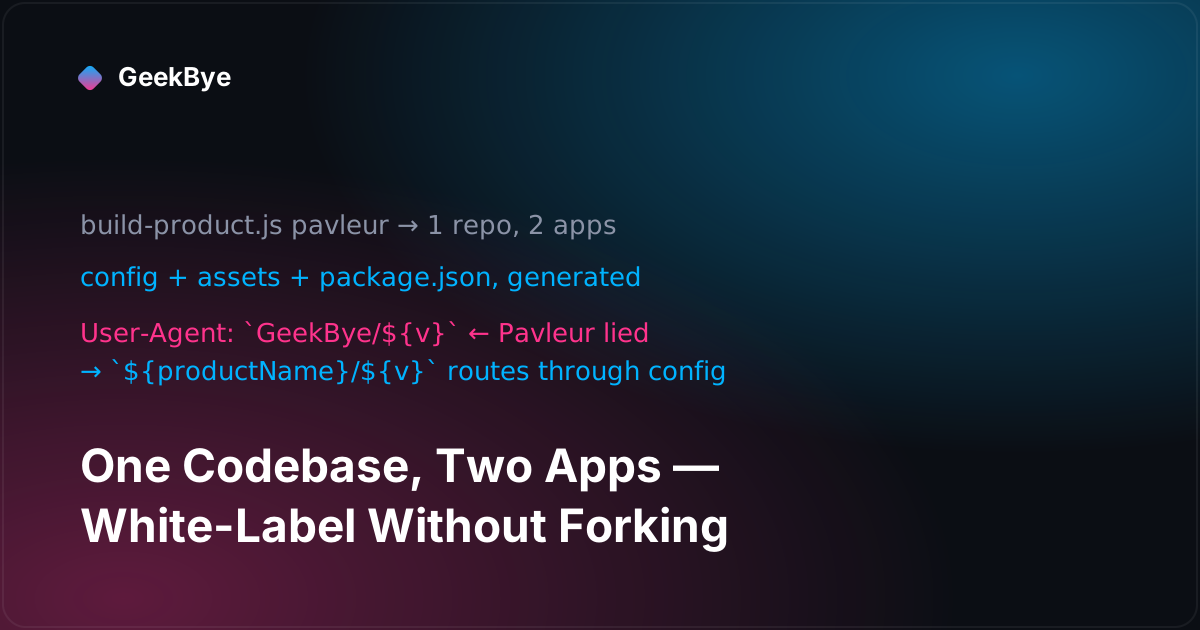
GeekBye's approach is build-time code generation. Each product has a config file — configs/geekbye/config.ts, configs/pavleur/config.ts — holding its identity: name, bundle id, URL protocol, the releases repository for auto-updates, and so on. Before a build, one script runs:
node scripts/build-product.js pavleur
That script reads the chosen product's config and does three concrete things:
- Generates two config modules — one for the renderer (
src/config/product.ts), one for the main process (electron/config/product.ts) — each stamped with a "DO NOT EDIT MANUALLY — changes will be overwritten" header. The rest of the app just importsproductName,applicationId, andprotocolfrom config and never thinks about which brand it is. - Copies only that brand's assets — icons, the small logo, the toast-notification icon. A GeekBye build physically contains zero Pavleur art and vice-versa. Nothing to leak.
- Rewrites
package.json(on release builds) — the app id, product name, URL protocol, the GitHub releases repo to publish to, and, nicely, the branded microphone-permission text so macOS asks "Pavleur would like to access the microphone," not the wrong brand.
The whole app is brand-agnostic; the brand is injected at build time. There's no runtime product-switch to get wrong, because at runtime there's only ever one product baked in.
One backend, two brands
Both apps talk to the same backend. So how does the server know which product — and which pricing, prompts, and limits — a request belongs to?
Two signals, both set at build time. First, an application id (geekbye or pavleur) baked into the config and sent with requests, so the backend can route to the right product's behavior. Second, a User-Agent the client attaches to every backend call, of the shape Product/version (platform) — e.g. Pavleur/1.2.5 (win32) or GeekBye/1.7.3 (darwin). That one header gives the backend per-product and per-OS attribution for free, without a separate analytics field. Auto-updates, meanwhile, stay isolated: each product publishes to its own releases repository, so a GeekBye update can never be served to a Pavleur install.
The onboarding differs per product too — GeekBye's wizard is about meeting transcription, Pavleur's is about interview practice — and the right one is chosen at runtime from the single baked-in application id. Same machinery, two front doors. And the brand seam runs all the way out to the release button: when release builds later moved into CI (v1.8.4), the workflow took a product dropdown, so the same 66 lines ship either brand.
The bug: when Pavleur called itself GeekBye
Here's the war story, and it's the one every white-label system has a version of.
The config generation worked. The icons swapped. The mic prompt was branded. The protocols and bundle ids were right. By every visible measure, a Pavleur build was Pavleur. And yet, for a while, every Pavleur build phoned home to the backend calling itself GeekBye.
The culprit was a single hardcoded string, and it was hiding in the least glamorous place imaginable: the User-Agent builder, tucked inside a network retry helper. Everything user-facing had been routed through config, but this one deep-plumbing utility still had a literal `GeekBye/${version}` in it. Nobody thinks of a retry utility as "branding," so nobody had checked it. The fix was four lines — import the dynamic productName from config and interpolate it instead of the hardcoded brand — but the lesson is the whole point:
White-labeling isn't "did the logo change." It's "does every identity string route through config." And the last holdouts never live in the UI, where you'd look. They live in the User-Agent, the deep-link protocol handler, the permission-prompt copy, the error messages — the plumbing nobody files under "brand." The only reliable defense is to treat the brand literal as something you actively hunt: grep the codebase for the hardcoded name and fail the build if it appears anywhere outside the config that's supposed to define it.
Three things white-labeling taught us
- Generate, don't branch. Build-time codegen of two tiny config modules plus selective asset copy beats both forking and a runtime thicket of product checks. The app stays brand-agnostic; the brand is a build input.
- Identity strings leak into plumbing. The UI is the easy 90%. The hard 10% is the User-Agent, the URL protocol, the mic-permission string, the error copy. Route them all through one
productName/applicationIdexport — and grep for the raw brand name as a CI gate so a stray literal can never ship. - One backend, many brands, disambiguate by id and header. A build-time application id plus a
Product/version (platform)User-Agent gives per-product and per-platform attribution with zero duplicated infrastructure — cleanly separating immutable build-time identity from runtime behavior.
For the product-and-privacy side of running a white-label notetaker under your own brand, see the white-label AI notetaker. This is the sixth chapter of the v1 story that becomes GeekBye v2 — for the previous chapter, what a 127-commit release actually is (v1.7.0); for the next, meetings you can actually find again (v1.7.3); and for the whole arc, the anatomy of shipping software to perfection.