One CSS Variable, Five Review Rounds, and a Swift Toolchain That Lied
GeekBye v2.0.7 made the whole overlay adjustably translucent — which sounds like a one-line CSS change and absolutely was not. The real story is what code review caught: two surfaces that refused to fade, a recording bar that looked wrong at the same opacity, and a compiled binary that flip-flopped 672 bytes because our own docs told a reviewer the wrong Swift version.
"Make the overlay translucent" is the kind of task that sounds like a slider and a CSS opacity property. GeekBye v2.0.7 shipped exactly that user-facing outcome — a single adjustable "light mode" that lets you see through the assistant's panels onto whatever's behind them. But the interesting part of this release isn't the feature. It's the five rounds of review it took to get right, and a war story about a compiled binary that changed size because our own documentation lied to a reviewer.
The right way to make a whole UI translucent
The naive version of this is to sprinkle an opacity value across every panel component and call it done. That's a maintenance trap: a dozen hardcoded values that drift apart the moment anyone touches one.
Instead, v2.0.7 uses one shared CSS utility and a per-surface token. There's a single overlay-surface class that computes a panel's background from two custom properties: a base opacity that each surface declares for itself (the control bar, chat, transcript bubbles, code blocks, and so on each pick their own), and a global alpha multiplier that rides on the overlay root and represents the user's slider setting. Every surface reads the same multiplier; each keeps its own character. Critically, only the panel background scales — text, icons, and the backdrop-blur stay fully rendered, so "translucent" never means "unreadable."
Two decisions in that design are worth calling out because they're the difference between a feature that helps and one that generates support tickets:
- The default is fully opaque. The opacity setting ships at 100% — a no-op. Nobody's overlay suddenly went see-through on update; the translucency is there when you reach for it and invisible until then.
- The setting is validated defensively. There's one source of truth for the min, max, default, and step, and a normalizer that guards the empty/missing case. That matters because of a JavaScript footgun:
Number(null)is0, so a missing setting naively coerced would snap the overlay to its most transparent state instead of its default. The normalizer catches that before it can happen.
Drag the slider and the whole overlay re-tints live, mid-recording, because every surface is subscribed to the same setting. No restart, no reload.
What review caught (and a single-monitor test never would)
Here's where "one CSS variable" stopped being simple. Three bugs surfaced in review, and two of them are the same lesson wearing different hats.
A panel that wouldn't fade. The keyboard-shortcuts overlay stayed stubbornly solid while everything else went translucent. The cause: it renders outside the DOM subtree that carries the opacity variable, so it never inherited the value cascading down from the overlay root. CSS custom properties inherit through the DOM tree — and if a node isn't actually a descendant of where you set the variable, it silently gets nothing. The fix was to set the variable locally on that panel too.
A hover tint that vanished. The Fn/Assist buttons lost their cyan hover glow. The translucency utility set the background with !important (it has to win against surface defaults), and that steamrolled the hover: background tint on the same element. Specificity collision. The fix was to make the hover tint equally emphatic so it could win back on hover.
Both of those are the same underlying truth: a CSS variable cascade is a real correctness boundary, not a styling detail. Inheritance and specificity decide whether your value even reaches the element, and neither shows up in a screenshot until it's wrong.
Same opacity, different look. The subtlest one: the recording bar and the idle bar were set to the identical base opacity, and still looked visibly different. Why? The recording pill used a heavier backdrop-blur, and a strong blur over a dark background averages toward a darker result — so equal alpha produced unequal appearance. It also had a faint border where the idle bar had a bright gradient-ring edge. The fix matched the blur level and the ring. The lesson stuck: equal alpha is not equal appearance once blur enters the picture. Translucency is a system of interacting effects, not a single number.
The binary that changed size because the docs lied
Now the war story, and it's my favorite kind — the one where the tooling and the docs disagree and a careful reviewer gets caught in the crossfire.
GeekBye ships some pre-compiled Swift binaries (native helpers for things like meeting detection, which reads window titles to tell a live call from an app that's merely open). Because a compiled binary is checked into the repo, every developer must compile it with the exact same Swift version — different toolchains produce different bytes from identical source, and that would mean a phantom git conflict every time someone rebuilds. So there's a script that enforces one specific version: Swift 6.3.x, checked at build time.
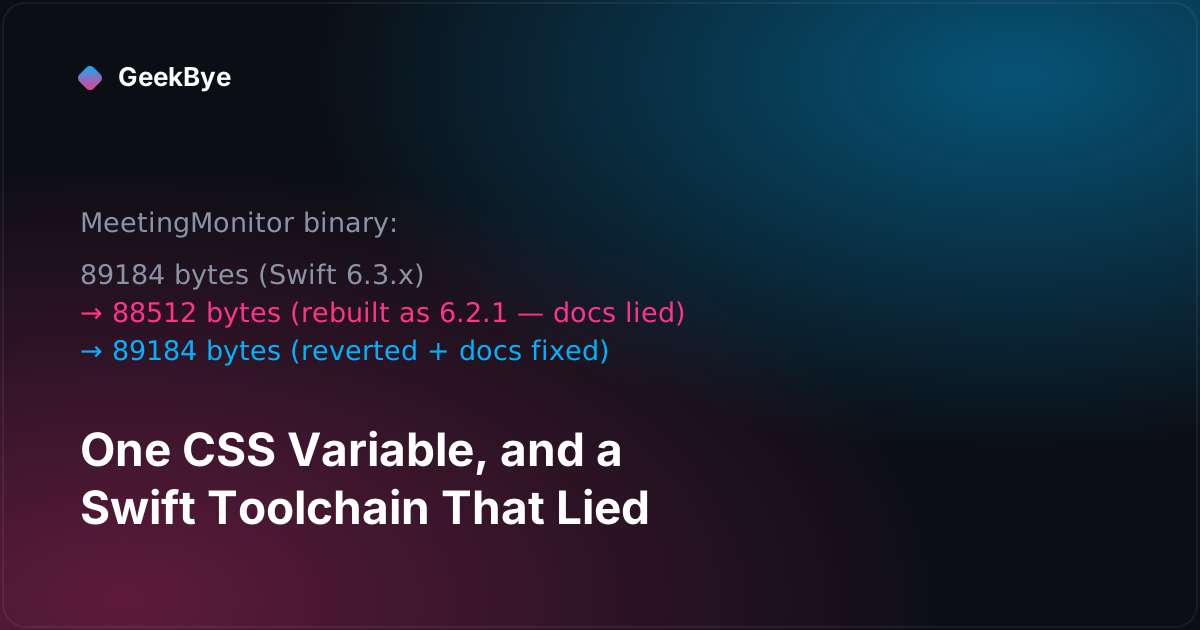
During review of this release, a reviewer flagged that a binary should be rebuilt to match "the repo-mandated toolchain." The developer did exactly that — and the binary's size changed from 89,184 bytes to 88,512. The commit message even said it was "restoring byte-stable output" by rebuilding with Swift 6.2.1, "the repo-mandated toolchain."
Except 6.2.1 was the wrong version. The build-enforcement script required 6.3.x. The problem was that the prose documentation — the README and the contributor guide — still said 6.2.1 in a couple of places. So a conscientious reviewer and a conscientious developer, both trying to do the right thing, followed the docs straight into committing precisely the artifact the enforcement script exists to reject. A 6.2.1 binary in a 6.3.x repo is the exact drift that would break every other developer's clean rebuild.
The next commit fixed it — and the fix is the point. It didn't just rebuild the binary back to its 6.3.x form (size restored to 89,184, right back where it started). It also corrected the stale "6.2.1" references in the docs so the trap couldn't be sprung again. The binary flip-flopped 672 bytes and back across two commits, and the real bug was never the binary. It was that two sources of truth — the enforcement script and the written docs — disagreed, and a human trusted the wrong one.
Three things this release taught
- A CSS-variable cascade is a correctness boundary. Two of three review bugs came down to a variable that didn't inherit and an
!importantthat clobbered a hover state. If a value has to reach an element through inheritance or win through specificity, that path is logic — verify it like logic, not like styling. - Equal parameters can produce unequal results. The recording bar and idle bar shared an opacity and still looked different because a different blur changed the outcome. When you unify a visual system on one number, check that the other variables around each surface aren't quietly changing what that number means.
- When docs and enforcement disagree, fix the disagreement — not just the symptom. The bug wasn't a bad binary; it was a doc that named the wrong toolchain and an enforcement script that said otherwise. Rebuilding the binary treats the symptom. Making every source of truth agree is the actual fix, because the next reviewer will trust the docs too.
GeekBye v2.0.7 shipped the uniform translucency, all edge cases reviewed and the toolchain docs set straight. It's the last of the "quiet craft" releases before the reliability sprint that followed. For the foundation underneath it, see what a version 2 actually takes (v2.0.0); for the sibling polish release, calm software: the flicker fix and the answer-mode chip (v2.0.3 + v2.0.5); and for how the overlay stays hidden on a call, how to stay invisible during screen sharing.