Telling a Call From an Open App
GeekBye can notice you've joined a video meeting and offer to record it. The detection turns out to be the easy half — a Swift binary reading window titles every ten seconds. The hard half is precision: not firing when Zoom is merely open, not prompting for a meeting you're already recording, and not muting the microphone in the call you're actually in. Three releases, and each one is a guard that had to learn to not defeat itself.
GeekBye has a feature that sounds trivial and isn't: it notices when you've joined a video meeting and offers, with one click, to start recording it. The pitch is a single sentence. The implementation is three releases of learning that the interesting problem was never "detect a meeting" — it was "be right about it." Right about whether you're actually in a call versus just having the app open. Right about not asking twice. Right about not muting the wrong microphone. Each of the three releases is, at heart, a guard that had to be taught not to trip over itself.
Window titles, not processes
The first and most consequential decision is written into a commit message as a design statement, not a footnote:
Detection uses window title matching (not process detection) to distinguish "app is open" from "in an active call."
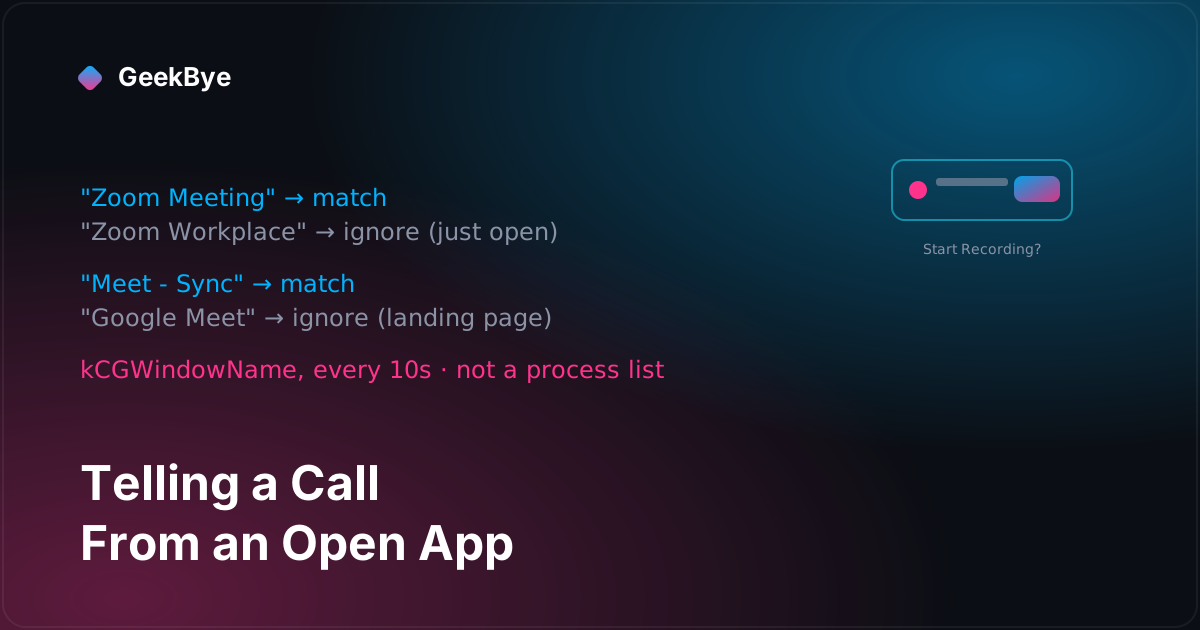
That distinction is the whole feature. If you detected meetings by looking at which apps are running, you'd fire the instant Zoom launched — and Zoom is open on a lot of desktops all day without a single call. So GeekBye doesn't watch processes. On macOS it runs a small native Swift binary, MeetingMonitor, that every ten seconds calls CGWindowListCopyWindowInfo for the on-screen windows and reads each one's title via kCGWindowName. A window titled "Zoom Meeting" means you're in a call; the "Zoom Workplace" window means the app is merely open. The signal isn't "is Zoom alive," it's "does a window on your screen look like a live call."
The poll interval is a hard constant — pollIntervalSeconds: Double = 10.0 — plus one immediate check at startup, so a meeting is noticed within about ten seconds of its window appearing. (That's a code value, not a measured latency; treat "up to ~10 s" as arithmetic, not a benchmark.)
Browser meetings need one more step, because a Chrome window titled "Meet - Weekly Sync" is promising but the certainty is in the URL. So when the frontmost app is a known browser — Chrome, Safari, Edge, Brave, and a handful more identified by bundle id — the binary extracts the active tab's URL through AppleScript and checks it against patterns like meet.google.com/, zoom.us/j/, and teams.microsoft.com/. AppleScript into another app can hang, so that call runs on a background DispatchQueue guarded by a DispatchSemaphore with a 3-second timeout; a wedged browser times out instead of freezing the whole detector.
The hard part is not firing
Here's the part that surprised me when I read the pattern list. Detecting a call is a few string matches. Not detecting one — not firing when you don't want it to — is where all the care went. The list of window-title patterns reads like a set of deliberate exclusions:
- Google Meet matches
"Meet - "and its en-dash variant"Meet – ", but not the bare string"Google Meet"— because that's the landing page you open before a call. - Zoom matches
"Zoom Meeting"and"Zoom Webinar", but not"Zoom Workplace"or a bare"Zoom"— the app sitting open. - Teams matches
"Meeting with","Meeting in"," | Call"," | Meeting"— the in-call title shapes, not the idle client. - Slack huddles, Webex rooms, and WhatsApp calls each get their own in-call-only fragments.
Every one of those is a decision to stay quiet in the common case where an app is open but you're not in a meeting. The design goal isn't maximal recall; it's not being the tool that pops a "want to record?" banner while you're reading Slack. A false positive here is expensive in a way a false negative isn't: miss a call and the user starts recording manually; misfire on an open app and the user learns to ignore your banner. The whole heuristic is tuned toward the second failure being rare.
It's honest to name the limits of a heuristic this simple. The patterns are English-only — a localized OS or a non-English meeting app won't match, an acknowledged v1 limitation. And because window titles for other apps are only visible with Screen Recording permission granted, detection quietly degrades to nothing without it. Simple, legible, and imperfect in ways the team wrote down rather than hid.
The offer, and the machinery that keeps it from nagging
When a pattern matches, GeekBye shows a small frameless always-on-top banner in the corner — its own window, not an OS notification — with a Start Recording button. Click it and an IPC message (meeting:start-recording) hides the banner, brings up the main window, and tells the renderer to start a session. Dismiss it and the banner goes away.
But a naive version of this would be maddening. Titles change constantly during a call — a participant joins, you rename the meeting, a screen-share swaps the window name — and each change would re-fire a detector that keyed on the exact string. So the detector, in MeetingDetector.ts, carries a small state machine whose entire job is restraint:
- A stable
meetingIdper platform. The Swift side emits an id likegoogle-meet-active, deliberately not derived from the volatile window title, so joins, leaves, and renames within one call don't read as a new meeting. - A
dismissedMeetings: Set<string>. Dismiss the banner and that meeting's id is ignored — until the meeting actually ends, at which point the id clears so the next real meeting can prompt fresh. - A
notificationActiveboolean. Only one banner at a time, so a Slack huddle popping up while you're already in a Meet doesn't stack a second prompt.
That's the feature, really: a little detection and a lot of "don't be annoying." Which is exactly why the next two releases exist — because two of those guards turned out to defeat themselves.
The mute that muted your actual meeting (v1.8.18)
Recording has a mute button, and the first implementation took "mute" at its most literal. Shipped in v1.8.15, it muted the microphone by setting the operating system's input volume to zero:
osascript -e "set volume input volume 0"
with the previous volume saved to the database so it could be restored, a Windows equivalent through waveInSetVolume, and a before-quit safety net to make sure it un-muted. The code even described it as a feature — muting "at TWO levels," system and app, so the mic was blocked for all apps.
That last phrase is the bug stated as a boast. Blocking the mic for all apps means blocking it for the Zoom or Meet call you're actually sitting in. You press mute in GeekBye to stop it from hearing you, and you've gone silent in your real meeting. The v1.8.18 fix is a demotion: stop touching the OS input volume entirely, and mute only GeekBye's own audio pipeline. In Listen mode, RealtimeAudioCaptureService replaces muted mic frames with a zero buffer so silence flows to the mixer; in video mode, ScreenRecordingService sets a Web Audio GainNode to zero. The system-wide mute, the saved-volume recovery, the whole cross-platform apparatus — all deleted. Mute should mean "this app stops listening," never "your microphone turns off for everyone."
The guard that reset itself (v1.8.19)
The other self-defeating guard was notificationActive. On paper it already answered "don't show a banner if one's up" — and it looked like it should also cover "don't offer to record a meeting I'm already recording." It didn't, and the commit that fixes it explains why precisely:
The notificationActive flag resets when the meeting detector cycles through ended/detected states, causing notifications to reappear mid-recording.
The detector is a live poll; over a long call it can briefly read "ended" and then "detected" again — a title flicker, a window momentarily off-screen — and each cycle reset the flag. So the guard kept quietly re-arming itself while you were recording, and the banner would reappear offering to record the call you were already recording. The fix stops trusting a local flag and asks the source of truth instead: a recordingActiveChecker callback, injected from main.ts and wired to the real isRealtimeTranscriptionActive state, checked before any notification shows.
// Don't show notification if recording/transcription is already active
if (this.recordingActiveChecker?.()) {
  return
}
The lesson is small and general: a guard whose state you own can be reset out from under you by your own control flow. A guard that reads the actual state it's protecting can't. notificationActive was tracking a proxy for "are we recording"; the fix asks whether we're recording.
Three things these releases taught us
- Detect the state you mean, not the one that's easy to see. "The app is running" is trivial to check and wrong. "A window that looks like a live call exists" is a little harder and correct. The gap between those two is the entire feature.
- For a proactive feature, precision is the product. Nobody remembers the meeting you detected correctly; they remember the three times you interrupted them when they weren't in one. The pattern carve-outs and the anti-nag state machine are not polish — they're the difference between a helpful banner and one you train yourself to ignore.
- A guard that can reset itself isn't a guard. Both follow-up releases are the same shape: a safety mechanism that referenced a proxy it controlled (a saved volume, a local boolean) instead of the real state (the OS mic, the transcription status). Point guards at the truth, not at a copy of it.
For the previous chapter in the v1 story, taking the backend out of the upload path (v1.8.11–v1.8.13); for the next, the three verbs that keep web audio alive (v1.8.16 + v2.0.2); and for the whole arc, the anatomy of shipping software to perfection.