The Three Verbs That Keep Web Audio Alive
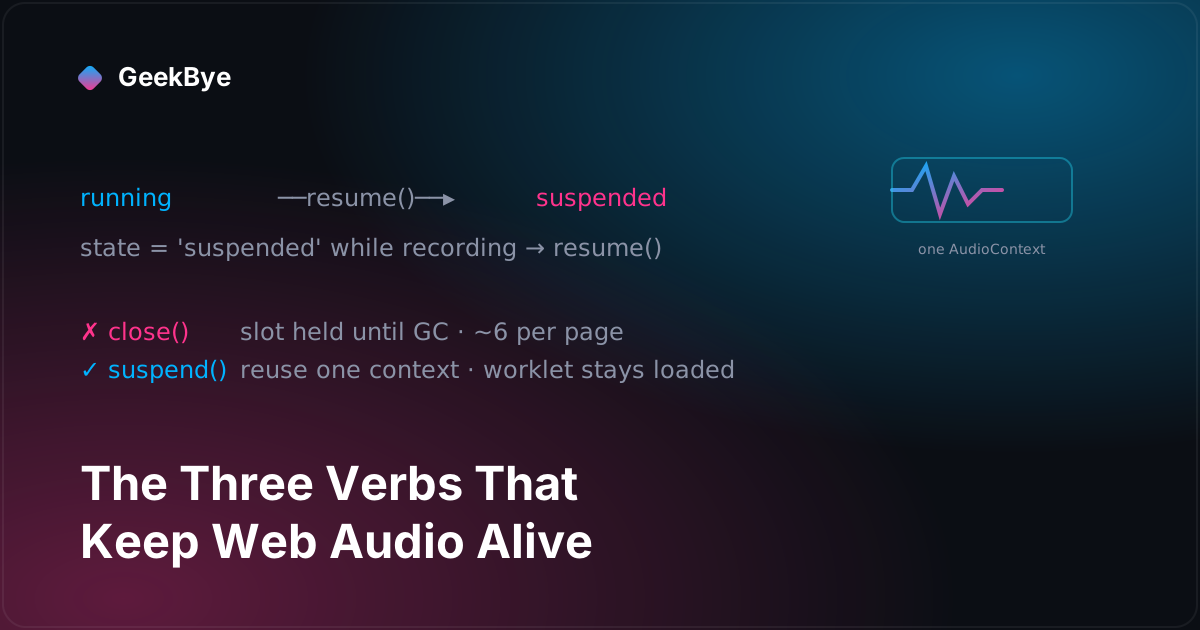
Two GeekBye point releases, two months apart and in two different files, taught our audio code the same lesson from opposite ends: stop treating the browser's AudioContext as disposable. One release learned to resume() a context macOS had silently suspended mid-recording; the other learned to suspend() instead of close() so back-to-back sessions stop slamming into Chromium's roughly-six-context ceiling. Resume, suspend, close — that's the whole plot.
Most of the time, a Web Audio AudioContext behaves like a plain object: you construct one, wire up some nodes, and forget about it. Two GeekBye releases are what happened when that assumption broke — twice, in two different parts of the app, two months apart. Neither was planned as a follow-up to the other. But put them side by side and they tell one story: the browser's AudioContext is not a disposable object. It's a scarce, operating-system-owned resource with a real state machine, and the three verbs of that state machine — resume, suspend, close — are the entire plot of both releases.
GeekBye has two separate audio pipelines, which is why the same lesson had to be learned twice. One is the video-recording path (ScreenRecordingService), which builds a Web Audio graph to mix mic and system audio into a recorded video file. The other is the real-time transcription path (RealtimeAudioCaptureService), which builds its own graph to feed speech-to-text. Each has its own AudioContext. Each release below fixes one of them.
v1.8.16: the video went silent, but the transcript didn't
The first bug is a split-brain. You're recording a meeting, you tab away to another app for a moment, and something subtle happens: the video file loses your microphone while the live transcript keeps scrolling as if nothing changed. The transcript swears you were talking. The video is silent. That's a maddening kind of bug because the two things that should agree — "did the mic hear you" — flatly disagree.
The commit that fixes it names the cause precisely:
AudioContext can be suspended by macOS when the app loses focus during screen recording. This silences the mic in the video file while the ScriptProcessorNode (STT path) keeps running on the JS main thread, causing a split where transcripts continue but the video has no mic.
Here's the mechanics. ScreenRecordingService.setupMonoMixingPipeline() builds one AudioContext, a MediaStreamDestination that becomes the video's audio track, a GainNode for mute, and a pair of ScriptProcessorNodes (via createScriptProcessor) that pump audio frames to the VAD/STT logic. When macOS suspends the context — which it can do when the app loses focus during a screen recording — the parts of the graph driven by the audio hardware clock stop: the MediaStreamDestination stops receiving mic audio, so the recorded video goes quiet. But a ScriptProcessorNode's onaudioprocess callback runs on the JavaScript main thread, and that thread keeps ticking. So the STT side keeps producing transcript entries from whatever it last had, and the two consumers of the same microphone diverge.
The fix is to notice the suspension and undo it:
audioContext.onstatechange = () => {
  if (audioContext.state === 'suspended' && this.status === 'recording') {
    logger.info('AudioContext suspended during recording, resuming')
    audioContext.resume()
  }
}
That's the whole correctness change: watch the context's state, and if it drops to suspended while we're still supposed to be recording, call resume(). The release also wires up onmute, onunmute, and onended listeners on the microphone's MediaStreamTrack — not to change behavior, but so that an OS-level mute or a device disconnection shows up in the logs instead of being an invisible cause of silence. When a bug's whole difficulty is "why did the audio stop," making the audio stopping observable is half the fix.
A follow-up commit landed a couple of minutes later to clean up after those new listeners: cleanup() now nulls out micTrack.onmute/onunmute/onended and sets audioContext.onstatechange = null before it tears the graph down. The commit note says it's "matching RealtimeAudioCaptureService cleanup pattern" — the app's other audio service. Hold onto that detail, because two months later that exact pattern is what the next release had to rewrite.
v2.0.2: audio and transcripts die after about six sessions
The second bug lives in the other pipeline, RealtimeAudioCaptureService, and it has a wonderful shape: everything works perfectly, and then after you've started and stopped recording a handful of times in one app session, the audio just... dies. First the system audio goes silent, then the transcript stops. Restart the app and it's fine again — until another handful of sessions.
The root-cause note is worth reading in full, because it's a textbook bug-behind-the-bug:
Root cause: setupMonoMixingPipeline created a new AudioContext on every start() and cleanup() closed it. Chromium hard-caps hardware AudioContexts at ~6 per page and closed-but-not-yet-GC'd contexts keep their slot, so ~6 back-to-back sessions exhaust the cap. The next context is dead → the silent-monitor passthrough can't play (no system audio) AND the mixer worklet can't capture (no transcript) — the reported 'after 6+ sessions audio dies, then transcript dies'.
The trap is that the old code was doing the "responsible" thing. Every start() created a fresh AudioContext; every cleanup() called close() on it. Closing a resource when you're done with it is exactly what you're taught to do. There was even an inline comment rationalizing the churn — that reloading the AudioWorklet module per fresh context was fine because "a fresh context per start() means we always pay this cost once."
But Chromium limits how many hardware-backed AudioContexts a single page can hold — roughly six — and, crucially, close() doesn't hand the slot back the instant you call it. A closed context keeps occupying its slot until it's garbage-collected, which happens whenever the JS engine gets around to it. So a scrupulous close-every-time policy is precisely the thing that walks you into the ceiling: six create/close cycles later, the six slots are all held by not-yet-collected corpses, the seventh new AudioContext() comes back dead, and every node you attach to it silently does nothing.
The fix is to stop treating the context as disposable. Create it once and reuse it for the service's lifetime:
- In
setupMonoMixingPipeline, only construct anew AudioContext(...)if there isn't one yet or the existing one isclosed. If it exists but issuspended,await audioContext.resume()instead of making a new one. - In
cleanup, replaceaudioContext.close()withaudioContext.suspend()(guarded so it's never called on an already-closed context). The context survives the session. - Because the context survives, the loaded
AudioWorkletmodule survives with it — the code no longer resets its "worklet loaded" flag on cleanup, soaudioWorklet.addModule(...)is paid once for the whole service lifetime rather than every session.
The per-session pieces — the createMediaStreamSource nodes for mic and system audio, the mixer worklet, and the silent passthrough that keeps Chromium's system-audio loopback tap alive — are still built and torn down every cycle. Only the AudioContext itself persists, so there is at most one in existence at any time. The ceiling is unreachable because you never stack contexts against it.
One honest note the commit makes about itself: this was verified by hand — "manually verified: 8+ back-to-back sessions keep system audio audible and transcripts flowing (was dead at session 7)" — and the author is candid that Web Audio lifecycle "isn't unit-testable in jsdom without a large new mock harness." That's the right kind of honesty. The failure only appears against a real audio device across real sessions; a green unit suite would have proven nothing. The "roughly six" and "dead at session 7" are the team's observations of where Chromium's cap bit, not a documented constant — the code itself hedges with a tilde, and so should anyone repeating it.
Resume, suspend, close
Line the two releases up and the symmetry is almost too neat. Both are about the same three methods on the same kind of object, approached from opposite directions:
- v1.8.16 learned to
resume(). The context gotsuspendedout from under it by the OS, and the fix is to catch that and resume — keep a context that's supposed to be running, running. - v2.0.2 learned to
suspend()instead ofclose(). The old code was too eager to destroy the context, and the fix is to suspend and reuse it — keep a context that's expensive to recreate, alive.
They're the two halves of a single principle: stop treating the AudioContext as a throwaway. One half says don't let it die when it shouldn't; the other says don't kill it when you don't have to. And there's a small irony in the timeline — v1.8.16's cleanup was written to "match RealtimeAudioCaptureService's cleanup pattern," and then v2.0.2 rewrote exactly that pattern in RealtimeAudioCaptureService, because the pattern's close()-every-time habit turned out to be the bug. The two services keep learning from each other's audio-lifecycle handling, one fix at a time.
Three things these releases taught
- An
AudioContexthas a state machine — treatstateas load-bearing.running,suspended, andclosedaren't trivia. The OS can move a context between them without asking you, and different parts of your graph react differently (aScriptProcessorNodeon the main thread keeps going; the hardware-clocked destination doesn't). If you don't watchonstatechange, you're trusting that the context stays where you left it — and on a real desktop, under focus changes and screen recording, it won't. close()is notfree(). The intuition that closing a resource promptly is always correct is exactly what caused the second bug. When the resource is a slot in a hard, browser-imposed pool that's only reclaimed at GC time, aggressive closing is how you exhaust the pool. Sometimes the right lifecycle is create-once-suspend-often, not create-and-destroy-per-use.- Some bugs are only reachable through the door of real hardware and real time. "Dies after about six sessions" and "goes silent when you tab away" cannot be caught by a unit test that mocks the audio device — and the team said so plainly rather than papering over it with a fake-passing test. Name the limits of your test harness; a bug that needs eight real sessions to appear deserves an honest "manually verified," not a green checkmark that means nothing.
For the previous chapter, telling a call from an open app (v1.8.15–v1.8.19); for the next, the silence was load-bearing (v1.8.20 + v1.9.0, the last of v1); and for the whole arc, the anatomy of shipping software to perfection.