How to Stream a Live Report Without the Flicker
When your meeting ends, GeekBye's summary now fills in live instead of making you stare at a spinner. Getting streaming UI to feel calm instead of jittery took solving flicker twice — once for structured fields, once for markdown — and the second fix was a renderer we already owned.
Before this release, ending a GeekBye meeting meant watching a spinner. The app would send your whole transcript off for analysis, wait for the entire summary — score, key points, action items, the works — and then drop it on screen all at once. Functional, but it felt slow, because you were staring at nothing while it worked.
GeekBye v1.6.13–v1.6.15 turned that into a report that streams in live, field by field, as it's generated. The interesting part isn't the streaming — it's everything we had to do to keep streaming from looking jittery. Calm streaming and janky streaming are the same feature with very different execution.
Flicker, part one: don't let every chunk thrash React
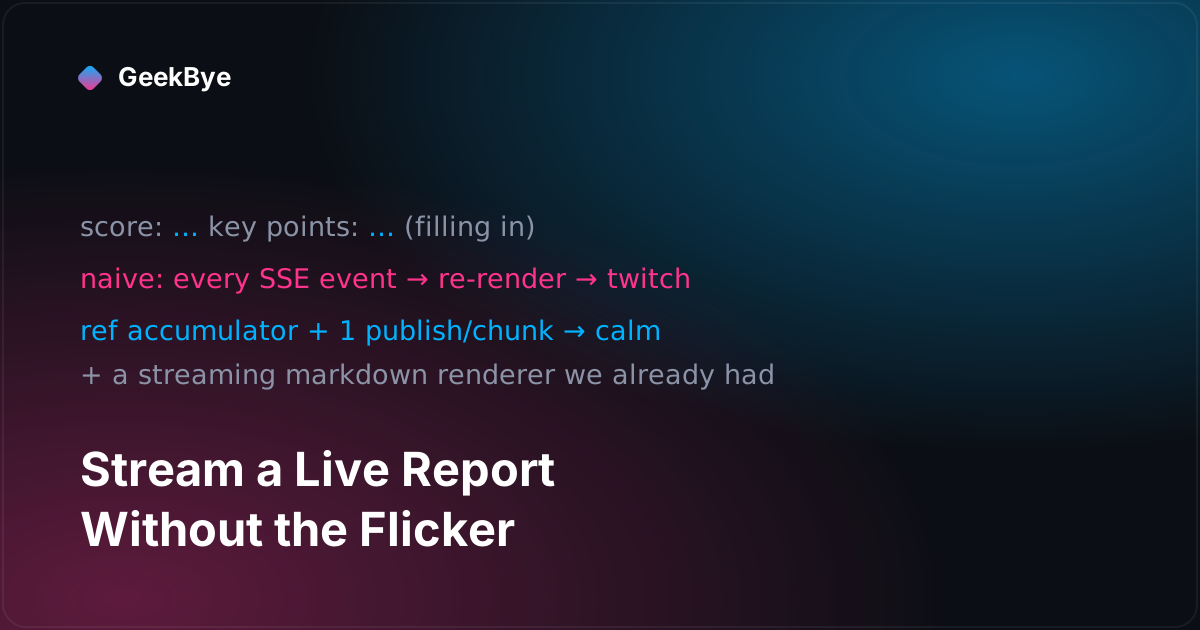
The summary isn't one blob — it's structured fields (an overall score, key points, action items, and so on) that the backend emits one at a time over server-sent events. The naive way to render that is to update React state on every event as it arrives.
Do that, and you get flicker. Each field arriving triggers its own re-render; components that were showing "empty" mount, then unmount, then remount as "loaded"; the layout twitches on every packet. The report assembles itself in front of you in the worst possible way — visibly, nervously.
The fix is a two-part discipline. First, accumulate the incoming fields in a ref — a mutable holder that doesn't trigger renders — and publish to React state once per chunk with a fresh copy, so the tree updates deliberately rather than on every micro-event. Second, render one stable component tree the whole time, whether streaming or done, with inline placeholders for fields that haven't arrived yet:
// accumulate in a ref, publish once per chunk
partialRef.current = { ...partialRef.current, [field]: value }
setPartial({ ...partialRef.current })

// one tree, never swapped; missing fields show a placeholder in place
const report = isStreaming ? partial : saved
<Score>{report.overallScore ?? '…'}</Score>
The component that shows the score never unmounts — it just shows … until the number lands, then the number. Nothing twitches. And the fully assembled object still gets cached to the local database at the end, so streaming UI and durable storage coexist without fighting.
Flicker, part two: the renderer we already owned
The second flicker is subtler and lives in the markdown itself. The report renders rich markdown — headings, bold, lists, code blocks. But markdown arriving mid-stream is, at any given instant, half-finished. A list with one bullet so far. A code fence that's been opened but not closed. A bold marker with no partner yet.
A conventional markdown renderer re-parses the entire string on every token, and that half-finished state parses to something different each time — so the list flickers, the code block flashes open and shut, the layout jumps as tokens complete. It's the same nervous assembly as before, one layer down.
The fix was almost embarrassingly available: we were already using a streaming-aware markdown renderer for the live AI chat. A renderer built to tolerate incomplete tokens — to render half-finished markdown stably and only settle it as the tokens complete — instead of re-parsing from scratch each time. The report just needed to use the same one. We'd solved this exact problem for chat months earlier; the "fix" for the report was recognizing we already had the tool and pointing it at a second surface. Reuse beat rebuild.
The bonus: rich copy is a clipboard-format problem
Once the report looked good, people wanted to paste it — into a doc, an email — and keep the formatting and the screenshots. The instinct is to serialize the report to a markdown string and hope the destination renders it. It usually doesn't.
The real answer is that the clipboard holds multiple representations at once. So we write two: an HTML version with the formatting intact and the screenshots embedded as inline images, and a plain-text fallback for destinations that don't take HTML. Paste into a rich editor and you get the formatted report with pictures; paste into a plain text box and you get clean text. "Rich copy" was never a serialization problem — it was a pick-the-right-clipboard-format problem. (A later release added a second way to get the report out of the app — a PDF export that renders the meeting as HTML in a hidden browser window and prints it; see printing a meeting to PDF without a PDF library, which turns out to be the same "the clipboard/PDF is really an HTML problem" insight in a different costume.)
The same release also gave the report chat-style Me / Them labels with the two speakers aligned to opposite sides, so a transcript reads like the conversation it was, and moved your own screenshots to their own side to match. (One release in this window, v1.6.14, was a pure rebuild — no story there, and it's honest to say so.)
Three things streaming UI taught us
- Buffer streamed fields, publish once per chunk. Letting every server-sent event drive its own state update is the flicker. A ref accumulator plus a single publish per chunk, into a tree that never unmounts, turns nervous assembly into calm fill-in.
- Anything that streams needs a streaming-aware renderer. A renderer that re-parses the whole string per token will flicker on half-finished markdown. Use one built for incomplete input — and if you already have one for another surface, reuse it before you build a second.
- Rich copy is about clipboard formats, not serialization. Write
text/htmlwith embedded images and atext/plainfallback. The clipboard was designed to carry both; use it.
This is the fifth chapter of the reliability-and-polish story that becomes GeekBye v2. For the previous chapter, see the earbuds bug (v1.6.12); for the next — the anatomy of a 127-commit release — what a 127-commit release actually is (v1.7.0); for where the same server-sent-events idea later became a whole fallback transport, live transcription when the firewall blocks WebSockets (v2.0.8); and for the whole arc, the anatomy of shipping software to perfection.