Watch GeekBye Stay Invisible: 5 Live Demos on Top Meeting Platforms
See GeekBye disappear during real screenshare on Google Meet, Microsoft Teams, Zoom, Slack, and Webex. Five short demos. Side-by-side candidate vs interviewer view.
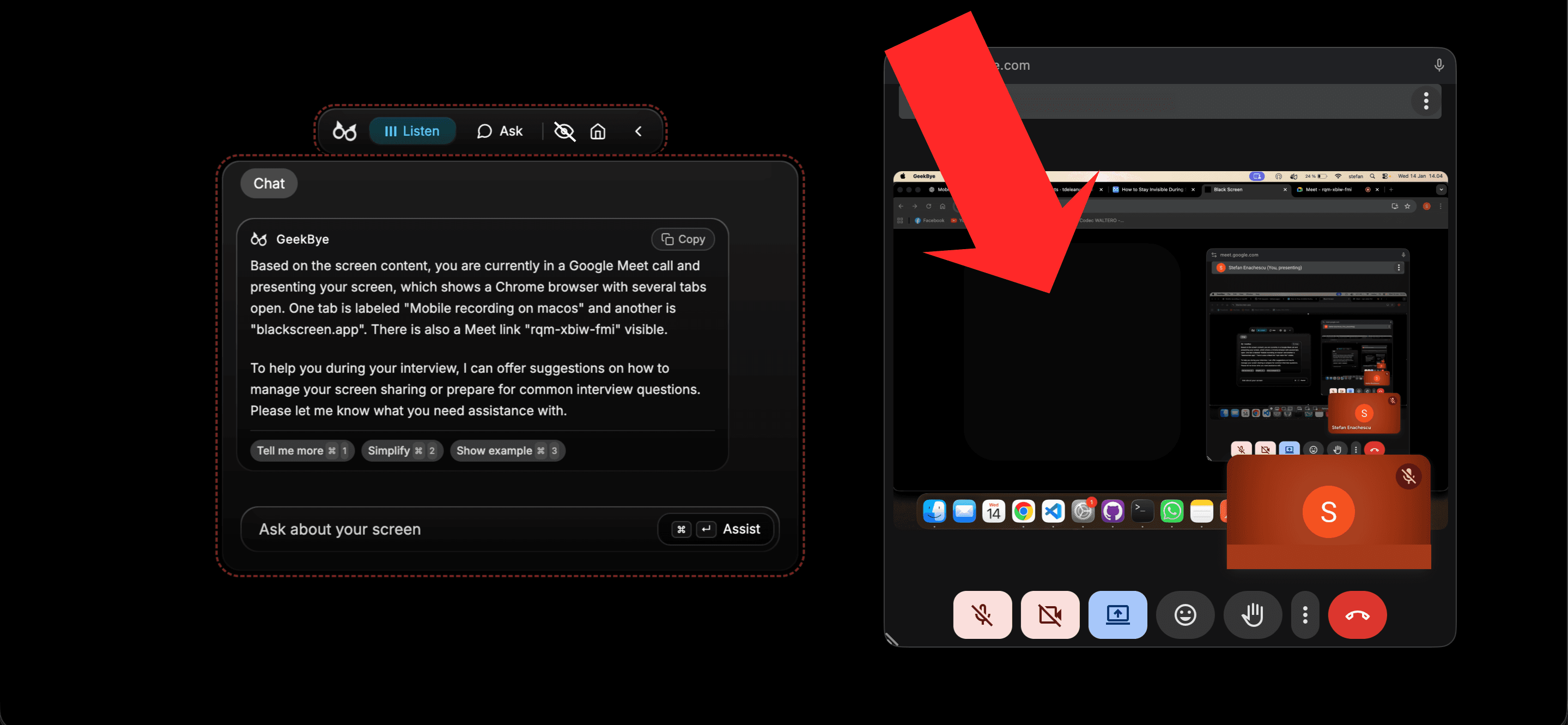
Privacy isn't a promise — it's something you can watch. We recorded GeekBye running through real interview screenshare on the five platforms recruiters actually use, and captured both the candidate side and the interviewer side at once. The interviewer side is empty. Every time.
Here are the five demos.
Google Meet
Google Meet's screenshare passes the entire desktop or a specific tab to the other side. GeekBye sits outside both capture pipelines — the candidate sees the assistant, the interviewer sees nothing.
Microsoft Teams
Teams shares both desktop and individual windows, plus a built-in recording indicator. GeekBye stays outside Teams' capture context across all three modes.
Zoom
Zoom is the platform interviews default to most often. The demo runs through a full screenshare with camera on — GeekBye stays invisible the entire time.
Slack
Slack huddles and screenshare are increasingly common in late-stage interviews. Same pattern — GeekBye runs alongside, never inside the share feed.
Webex
Webex shows up heavily in enterprise interviews and has its own quirks for screen capture detection. GeekBye sits outside its capture path too.
Why this matters
Most "invisible AI" tools work in a controlled demo and break under real interview conditions: a recording indicator flips on, the recruiter switches share modes mid-call, an HR tool monitors keystrokes. We test daily across every platform on this list. When something changes — a Zoom client update, a new Teams capture mode, a Slack huddle redesign — we catch it before you do.
That's the bar for "undetectable." Anything less is a demo, not a product.
Try GeekBye
Free trial, Mac and Windows, no credit card. Watch your own undetectability proof on whatever platform your next interview lands on.